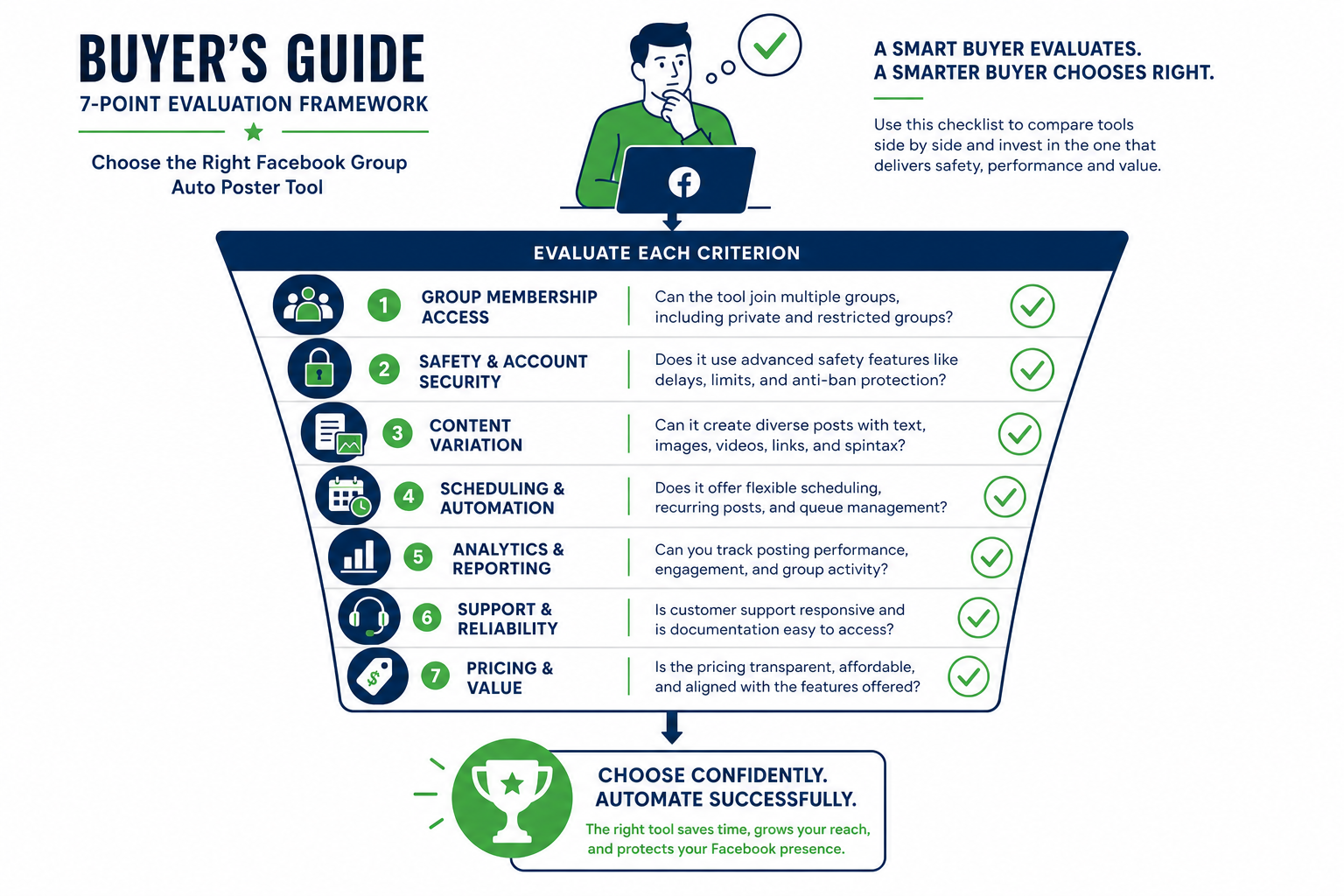
When choosing a Facebook group auto poster, the 7 things that actually matter are: (1) whether it can post to groups you joined, not just groups you admin; (2) the posting architecture (browser-based beats cloud-based for safety); (3) content variation capabilities; (4) scheduling flexibility; (5) group organization features; (6) posting logs and analytics; and (7) what happens to your account if something goes wrong. Most tools fail on #1 or #2, which makes the rest irrelevant.
The Facebook group auto poster category has a vendor problem: most tools are reviewed by people who haven't tested them against the specific use cases that matter, and most reviews focus on surface-level feature counts rather than the structural questions that determine whether a tool is actually useful. PilotPoster is the reference example throughout this guide: a browser-based tool built for posting to joined groups.
This guide gives you a proper decision framework built around the questions you should actually be asking. It's distinct from a product comparison (which is covered separately here) in that it focuses on the evaluation criteria themselves rather than how specific tools score.
The Pre-Screening Question: Can It Post to Joined Groups? #
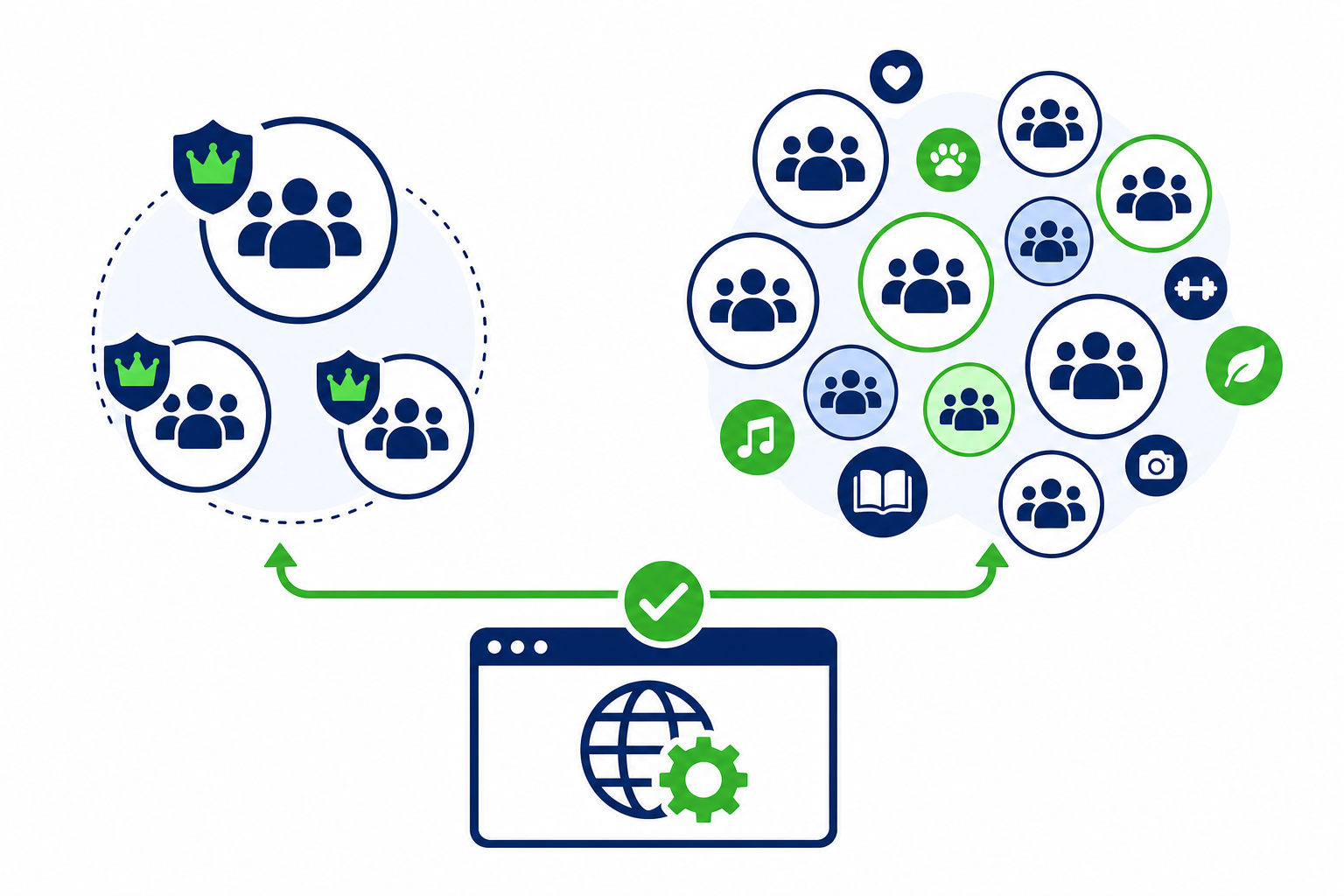
Before you evaluate any other feature, you need to know whether the tool can post to groups you've joined as a member (not just groups you admin or Pages you manage). This single question eliminates a large portion of the market immediately.
Most automation tools connect to Facebook via the Graph API. The API's posting permissions are limited to Pages and admin groups. If a tool uses the API for posting, it literally cannot post to joined groups regardless of what else it offers. There is no workaround within the API permission model.
The only tool category that can post to joined groups is browser-based automation, where the tool operates through your actual browser session. So the pre-screening question is: "How does this tool post to Facebook?" If the answer is API, or if the tool doesn't clearly explain its posting mechanism, ask directly and treat vague answers as a no.
If posting to joined groups isn't your use case and you only manage Pages and admin groups, then API-based tools become viable and you can skip this filter. But if joined group access is part of your plan, only browser-based tools can deliver it. See why only browser-based tools work for joined groups for the detailed explanation.
Criterion 1: Posting Architecture (Browser vs Cloud) #
Assuming you've cleared the pre-screening filter, the first substantive criterion is the posting architecture. Even for users who only need admin group or Page posting, the architecture matters for account safety.
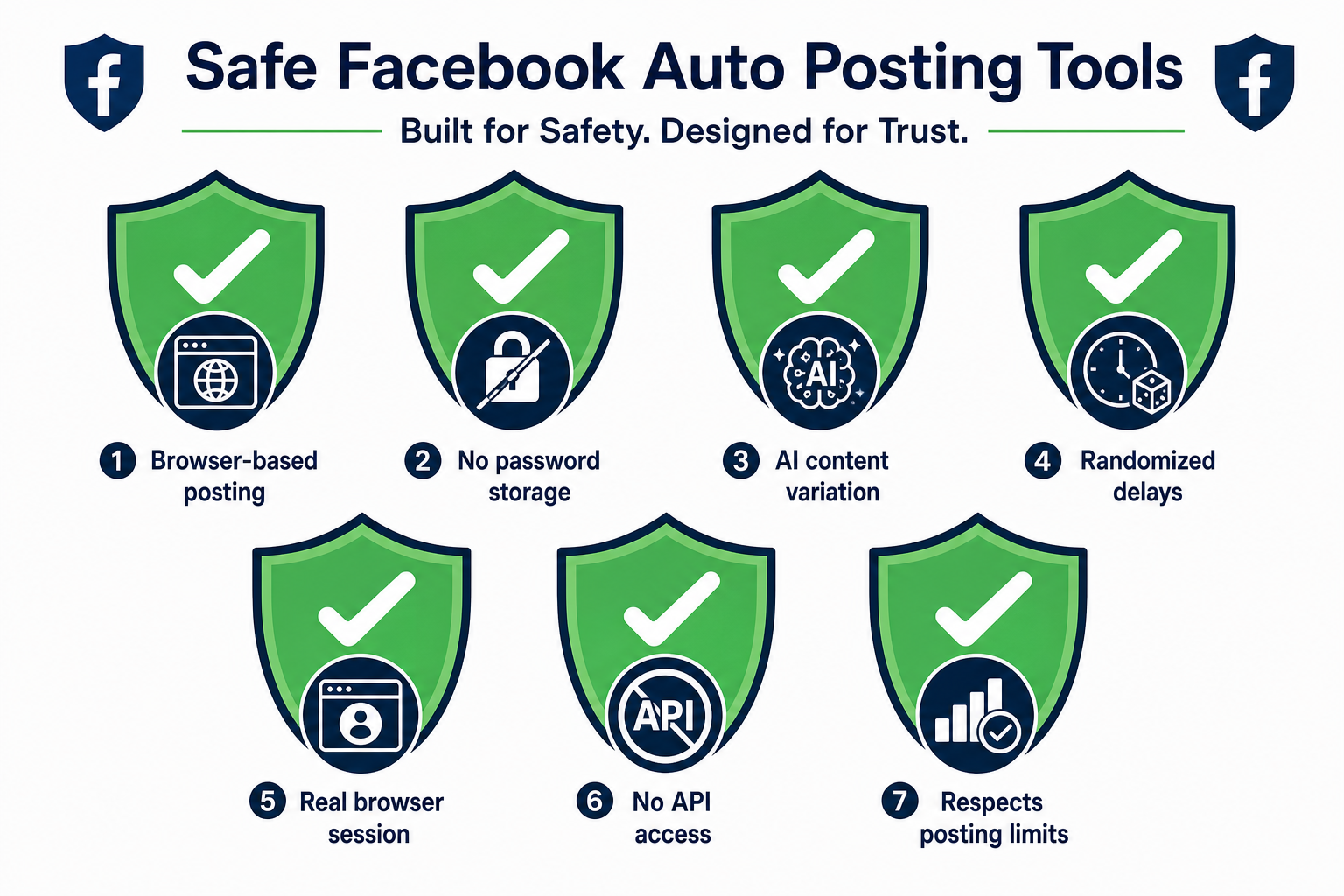
Browser-based: Runs on your computer, through your browser, using your active Facebook session. Your IP, your device fingerprint, your session history. Activity looks like you because it is you, automated.
Cloud-based: Runs on the vendor's servers, posts via API or stored credentials from a data center IP. Creates foreign activity patterns that Facebook can detect: non-residential IPs, non-browser API calls, regular machine-timing patterns.
For most Facebook group marketers, browser-based is the safer and more capable choice. The only meaningful downside is that posting requires Chrome to be open on your computer, which means it doesn't run truly unattended in the background. For most use cases, this is not a real limitation. Most marketers run their posting during work hours when Chrome is already open.
Criterion 2: Content Variation Capabilities #
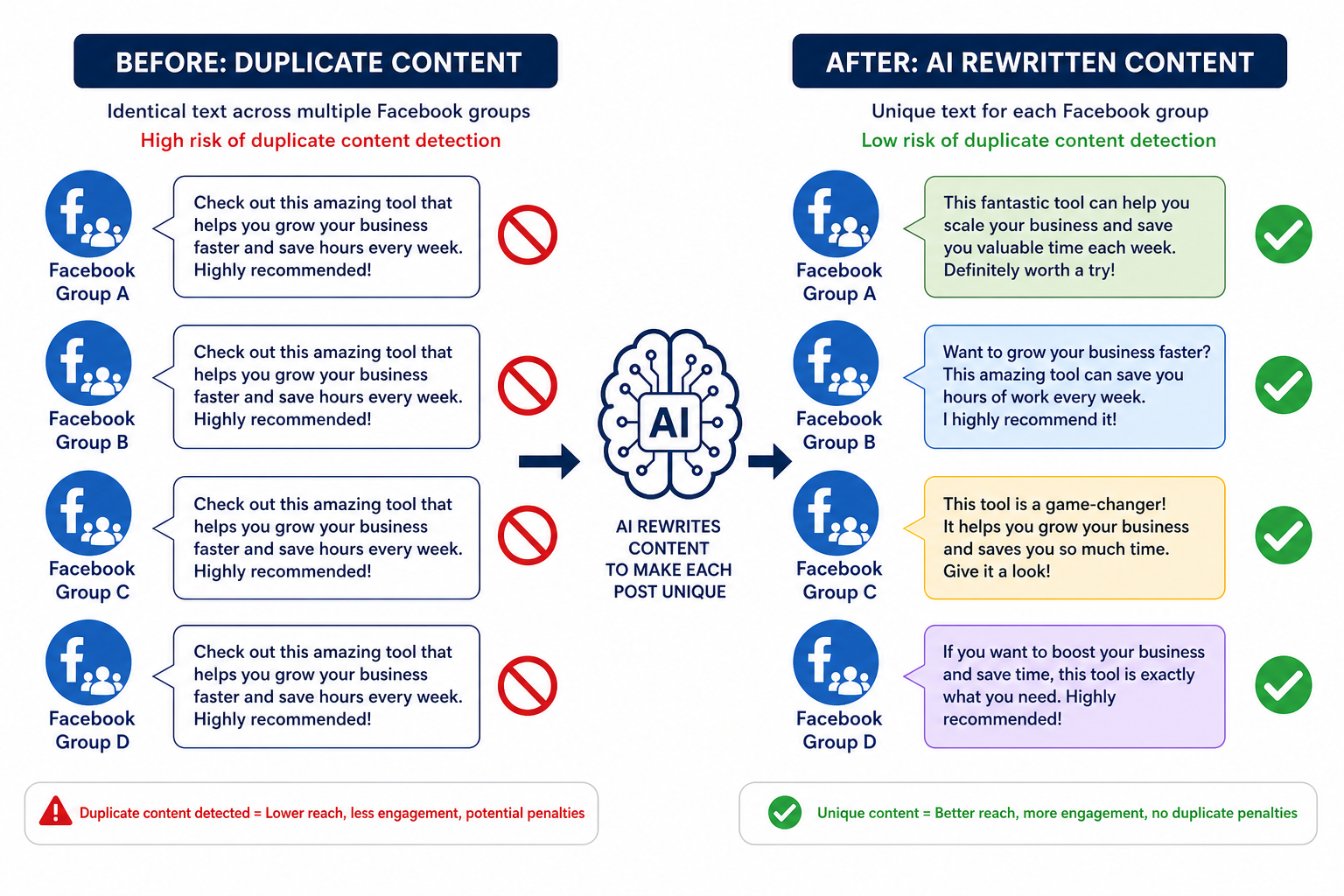
Posting identical content to many groups is a spam signal that triggers both Facebook's automated detection and human-driven reporting. Any tool you use at scale needs to handle content variation.
Evaluate tools on three levels of variation capability:
- Basic (Spintax): The tool supports {word1|word2|word3} syntax to rotate between alternatives in your post text. This is the minimum.
- Intermediate (multiple post versions): You can provide multiple full post versions and the tool rotates between them across groups. Better than pure Spintax for more natural-sounding variation.
- Advanced (AI rewriting): The tool uses AI to generate a unique rewrite of each post before sending it to each group. No two posts have the same text. This is the most effective variation approach for high-volume campaigns.
If you're posting to more than 20 groups, you should be using at minimum Spintax, and ideally AI rewriting. Tools without any variation feature should be used only for small group lists with well-differentiated groups where membership overlap is minimal.
Criterion 3: Scheduling Flexibility #
A good scheduling system for group posting is different from standard social media scheduling. You're not setting a specific post time for a specific post. You're defining patterns: post to these groups during this window, with this content, at this frequency.
The scheduling features that matter in practice:
- Time windows, not just fixed times: "Post between 9am and 12pm" is more useful and more natural-looking than "post at 9:00am exactly."
- Randomized delays: Variable intervals between group posts rather than fixed intervals. Human posting isn't metronomic.
- Per-group frequency caps: Limit how often a specific group receives your posts. Posting to the same group every day is often too aggressive.
- Campaign date ranges: Run a campaign from date A to date B and have it stop automatically.
- Content rotation vs sequential: Should posts go to groups in sequence, randomly, or rotate through content types? Different campaigns need different approaches.
Criterion 4: Group Organization and Targeting #
If you're managing 50 or more groups, raw group lists become unmanageable. A good tool lets you organize groups into categories, tags, or lists so you can run campaigns at the category level rather than picking individual groups each time.
Useful organization features:
- Category or folder tagging: Tag groups by niche, geography, audience type, or posting frequency.
- Quick group status changes: Pause specific groups without removing them from campaigns.
- Group-level notes: Track group rules, admin contacts, or posting restrictions in the tool itself.
- Bulk actions: Add or remove groups from campaigns in bulk rather than one at a time.
If a tool has a flat group list with no organizational layer, you'll outgrow it quickly once your group portfolio reaches 30 or 40 groups.
Criterion 5: Posting Logs and Analytics #
You need to be able to answer basic operational questions: Did that post go out? Which groups got it? Were there any failures? Which groups have been getting the most posts?
Basic log requirements:
- Per-post delivery log showing which groups received which content and at what time
- Failed post logging with reason (group unavailable, posting not permitted, rate limit hit)
- Historical export or filtering so you can review campaign performance over time
Advanced analytics (engagement tracking, group-level performance comparison) are useful if you're running multiple campaigns for different products or clients, but the basic logging is non-negotiable. Without it, you're operating blind.
Criterion 6: Safety and Recovery Model #
This criterion is about what happens when something goes wrong. Facebook's systems are imperfect, and even well-run campaigns occasionally run into a temporary restriction or a post rejection. How does the tool handle this?
What to look for:
- Graceful failure handling: If a post fails in one group, the campaign continues to other groups rather than stopping entirely.
- Rate limit awareness: The tool detects Facebook rate limiting signals and backs off, rather than retrying aggressively in a way that escalates the restriction.
- Easy pause controls: You should be able to stop all posting immediately if needed, without having to delete campaigns or reorganize your setup.
- No automatic retries of flagged content: If Facebook rejected a specific post as spam, the tool should not automatically retry that exact content to other groups.
For the specific behaviors that lead to account restrictions and how to recover from them, see the honest safety assessment of Facebook group auto posting.
Criterion 7: Pricing Structure and Account Model #
Pricing in this category varies from free tools (usually very limited) to agency plans with multiple client seats. The things to watch for:
- Group count limits: Some tools charge by the number of groups you connect. If you have 200 groups, a tool priced for 25 groups won't scale.
- Post volume limits: Monthly post caps can constrain high-frequency campaigns.
- Account/profile limits: Can you manage multiple Facebook profiles in one subscription, or is it one account per subscription? This matters for agencies.
- Feature gating: Are important features like AI rewriting, analytics, or multi-account management locked behind expensive tiers?
- White-label options: If you're an agency running this for clients, is there a white-label option for branded client access?
Applying the Framework: A Quick Evaluation Template #
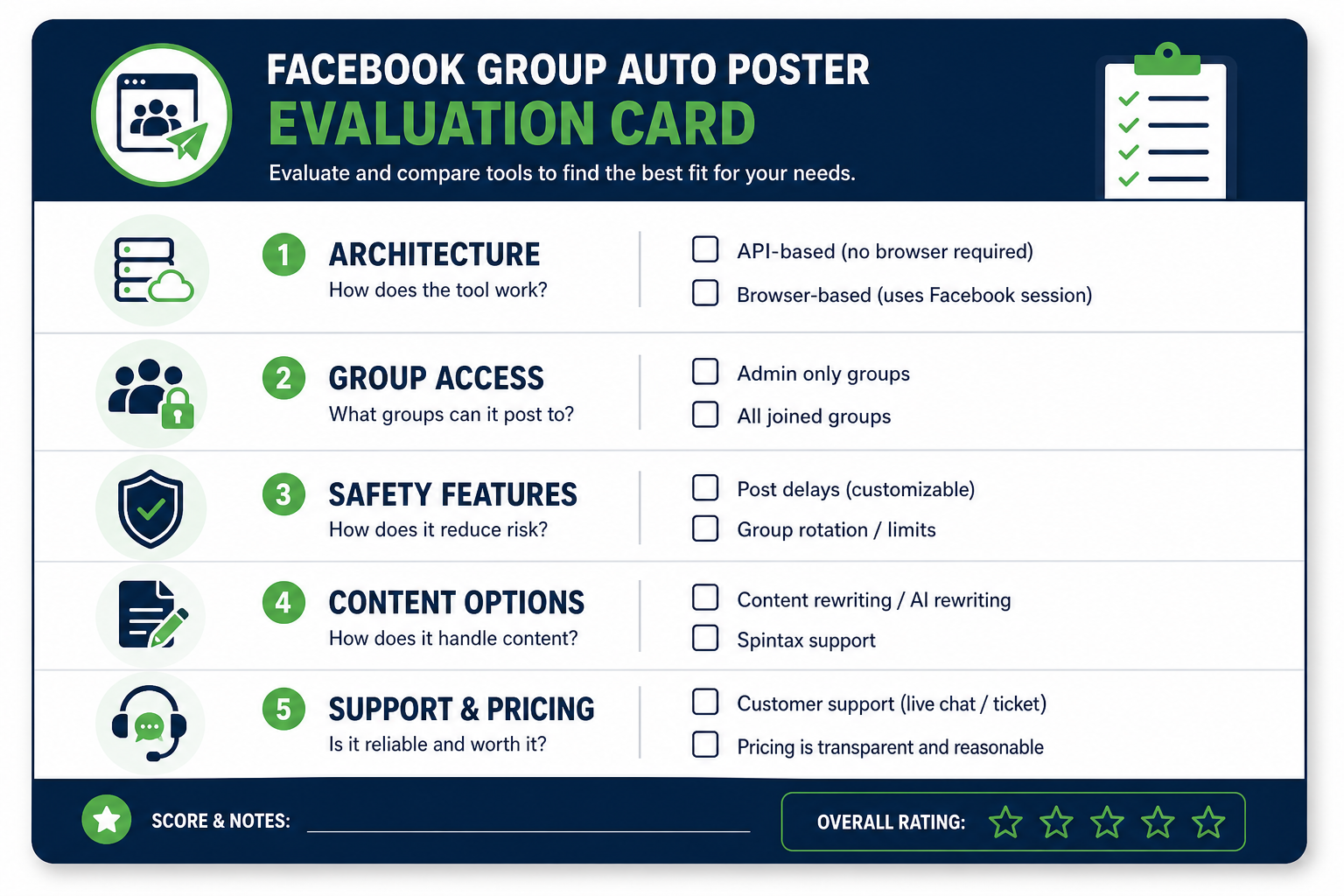
| Criterion | Questions to Ask the Vendor | Minimum Standard |
|---|---|---|
| Joined group access | "Can I post to groups I've joined but don't admin?" | Yes, via browser extension |
| Architecture | "Does posting require a browser extension?" | Browser extension required |
| Content variation | "Does it support AI rewriting or Spintax?" | At minimum, Spintax |
| Scheduling | "Can I set time windows with randomized delays?" | Yes, with min/max delay range |
| Group organization | "Can I tag or categorize groups?" | Yes, category or tag system |
| Logs and analytics | "Can I see which groups got which posts?" | Per-post delivery log |
| Safety model | "Does it handle failed posts gracefully?" | Continues campaign on failure |
Any tool that gives evasive or "it depends" answers to the first two questions should be disqualified before you spend more time on the evaluation. Those two criteria are binary: the tool either can or cannot do these things based on its architecture.
- The most important pre-screening question is whether the tool can post to joined groups. Most cannot.
- Browser-based architecture is safer than cloud-based for both capability and account safety reasons.
- Content variation (Spintax minimum, AI rewriting preferred) is essential for campaigns targeting more than 20 groups.
- Evaluate scheduling, group organization, and logging capabilities against your actual scale, not the vendor's demo.
- Calculate cost at your actual group count and posting volume, not the headline price.