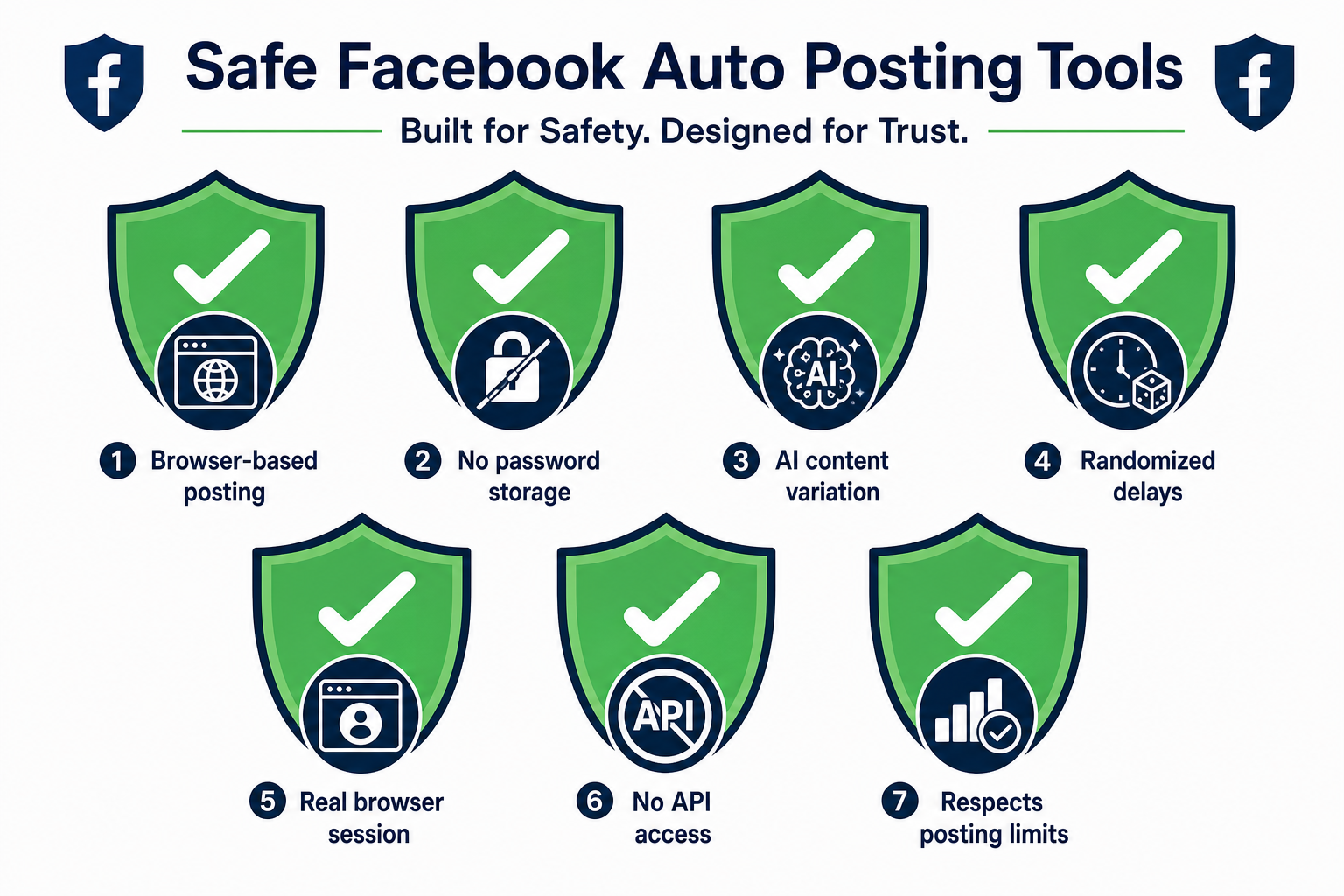
A Facebook auto poster that won't get you banned needs to do 7 things: post through your real browser (not a server), not store your password externally, generate unique content per group, use randomized delays between posts, operate from your real session, avoid calling the Facebook API for posting, and respect realistic human posting volume limits. Any tool missing more than one of these is a meaningful risk to your account.
The Facebook auto poster market has tools ranging from browser extensions like PilotPoster that carefully mirror human behavior to bulk-posting software that fires off dozens of identical posts in seconds. The difference in ban risk between these two ends of the spectrum is not small. It can be the difference between a sustainable long-term marketing channel and losing an account you've built for years.
This guide gives you the 7 criteria to evaluate any tool against before you trust it with your Facebook account. The criteria are ranked roughly by importance, though in practice you want all 7 satisfied.
Why Tools Get Your Account Banned #
To understand what makes a tool safe, you need to understand what Facebook's detection systems are actually looking for. The platform doesn't have a database of "approved automation tools" and "banned automation tools". It has behavioral pattern detection.
The patterns that trigger action are:
- Machine-speed actions (posting to 50 groups in 5 minutes)
- Non-browser activity (API calls from server IPs rather than from Chrome or Firefox)
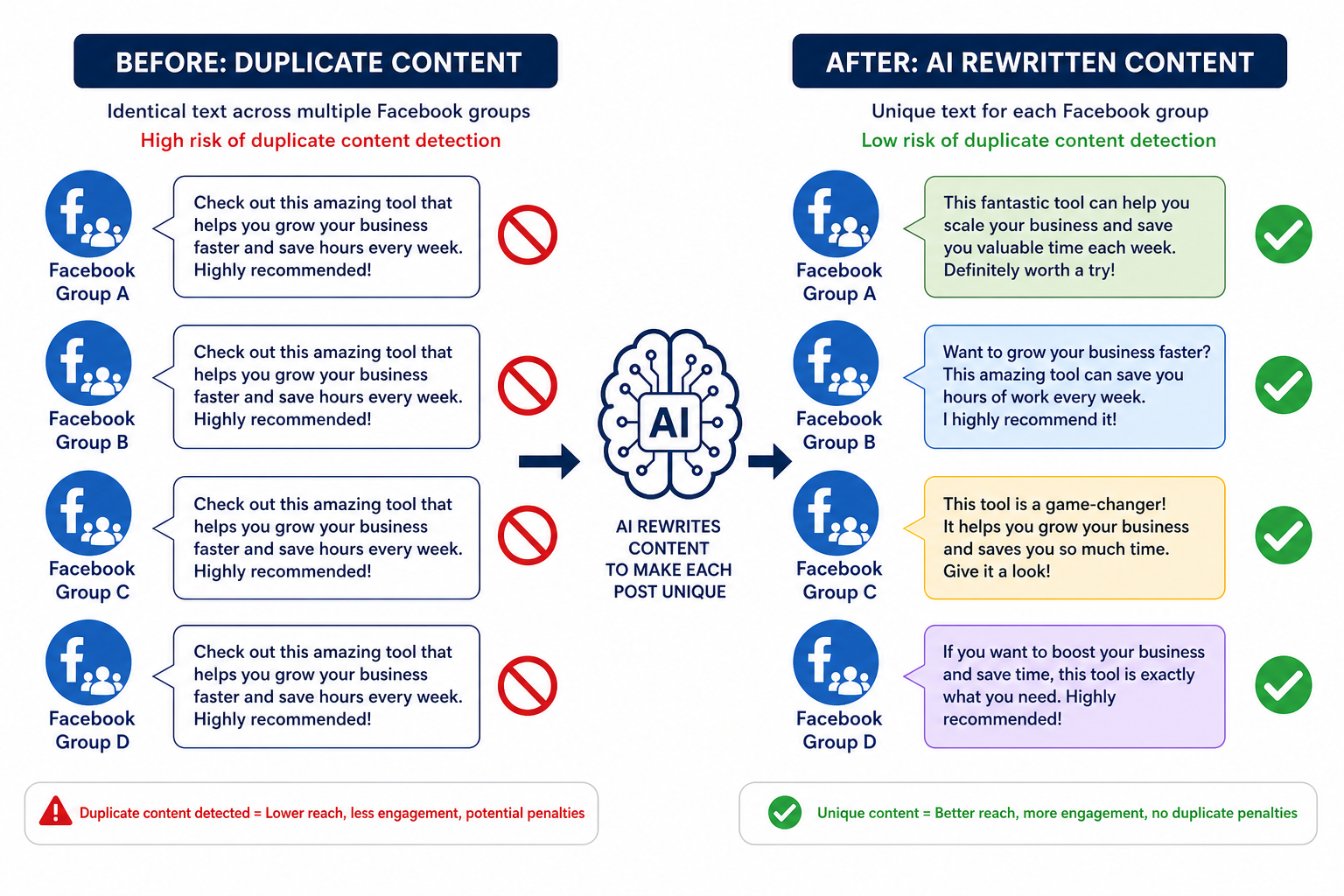
- Duplicate content appearing across many groups in a short window
- Login activity from unfamiliar IP addresses or locations
- Volume that far exceeds what a focused human would do in a session
A tool that produces none of these patterns is, from Facebook's detection system's perspective, indistinguishable from a very organized human marketer. That's the standard to target.
Criterion 1: Browser-Based Architecture (Not Cloud-Based) #
This is the most important criterion. Browser-based tools run on your computer, in your browser, using your Facebook session. Cloud-based tools run on the vendor's servers, posting to your account remotely via the Facebook API or using stored credentials.
Cloud-based posting introduces several detection signals at once: the request comes from a data center IP address, the device fingerprint doesn't match your usual device, the activity pattern may be perfectly regular (machine-scheduled rather than human-variable), and the API access pattern is detectable.
Browser-based tools eliminate all of these risks because the activity genuinely comes from your browser, your IP, your device, your session. There is no foreign element in the activity profile for Facebook to detect.
Criterion 2: No Password Storage on External Servers #
Some tools ask for your Facebook username and password to log in as you and post on your behalf. This is a security problem independent of ban risk.
When you give a tool your Facebook credentials, you're trusting that tool's security practices, data handling, and internal access controls to protect what is effectively a master key to your account. Tools get hacked, companies get sold, employees with access change. The risk is not theoretical.
Browser-based tools that authenticate through your existing browser session don't need your password. The Chrome extension connects to your Facebook session that is already authenticated in Chrome. The tool never sees your credentials because it doesn't need them.
If a tool requires your Facebook password to function, that's a disqualifying criterion on its own from a security standpoint.
Criterion 3: Content Variation Per Group #
Identical content appearing across many groups is one of the strongest spam signals in the Facebook system. Group members who belong to multiple groups you're targeting will see your same exact post appear repeatedly. They will report it. Group admins will see patterns and remove you. Facebook's automated systems flag high-frequency duplicate content.
A safe auto poster generates or applies variation to posts before they go out to each group. The two main approaches are:
- Spintax: Syntax like {Hello|Hi|Hey} everyone automatically rotates between alternatives at posting time, generating varied surface text from a single template.
- AI rewriting: More sophisticated variation where AI rewrites the full post for each group, maintaining the meaning while changing the phrasing substantially enough that no two posts are flagged as duplicates.
AI rewriting provides better variation than Spintax alone and works for posts that weren't originally written with Spintax in mind. For the detailed case for why AI rewriting is now more important than Spintax, see how AI rewriting reduces ban risk when posting to multiple groups.
Criterion 4: Randomized Delays Between Posts #
Human posting is irregular. You spend more time in some groups than others. You get distracted. You stop to read a reply. Your posting intervals vary from 2 minutes to 15 minutes without any conscious effort.
Machine posting without randomization produces perfectly regular intervals: 3 minutes, 3 minutes, 3 minutes, 3 minutes. This cadence is a pattern no human produces, and it's detectable.
Any tool worth using should let you set a delay range (minimum and maximum) and apply that range randomly to each posting interval. A good default is a minimum of 2 minutes and a maximum of 6 minutes, which produces posting patterns that fall comfortably within human behavioral norms.
Fixed delays, even long ones like 5 minutes exactly, are weaker than randomized delays. Perfectly regular patterns are machine signatures.
Criterion 5: Posts Through Your Real Browser Session #
This is related to Criterion 1 but worth stating independently. Even among browser-based tools, there is a difference between tools that use your active, authenticated Facebook session versus tools that open a new browser profile or authenticate separately.
When a tool uses your real, ongoing Facebook session, your session cookies, device fingerprint, browser history, and account activity history are all in context. This is the most invisible possible footprint because it's genuinely your account's normal environment.
Tools that open a fresh browser profile to log into Facebook create a profile that lacks your account's normal context: no cookies, no fingerprint match, no browsing history. This can look like a new device logging into your account, which is a security trigger Facebook monitors for.
Criterion 6: No Facebook API Access for Posting #
The Facebook API for posting has two problems for auto poster use cases. First, it can only post to groups you admin and Pages you manage (not joined groups). Second, API access patterns are monitored by Facebook's systems and can trigger review of your account or your app's access token.
If a tool's marketing material mentions "Facebook API integration" as a feature for posting to groups, that's a warning sign. It means posting won't work for joined groups, and the API access pattern adds detection risk that browser-based posting doesn't have.
The only legitimate use of the Facebook API for tools like these is for authentication (OAuth login flow) or for reading profile/page data, not for the posting action itself.
Criterion 7: Realistic Volume Limits #
The final criterion is the most behavioral. A safe tool should enforce or strongly encourage posting volumes that match what a focused human could realistically do.
A realistic maximum for intensive manual group posting is roughly 20 to 30 groups per session, over a 1 to 2 hour window. Beyond that, the volume starts to exceed what a single person's undivided attention could produce. If a tool's positioning is based on posting to hundreds of groups in minutes, the implicit behavioral pattern it creates is inherently detectable regardless of the other criteria.
Safe tools include built-in rate limiting, daily posting caps, and recommendations against high-frequency blasting. If a tool actively encourages you to post to as many groups as possible as fast as possible, it's optimizing for volume at the expense of account safety.
How PilotPoster Scores Against These 7 Criteria #
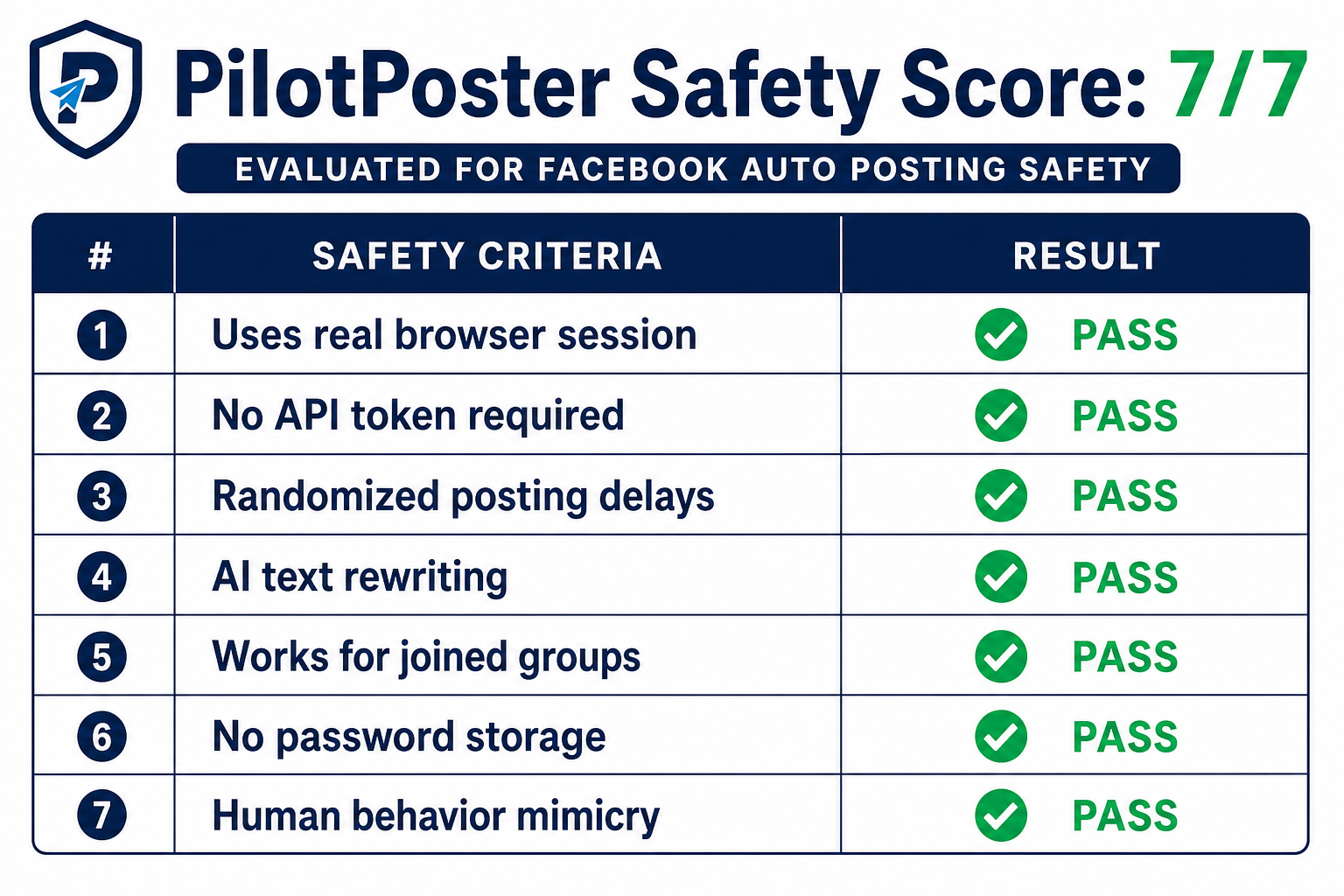
| Criterion | PilotPoster | Notes |
|---|---|---|
| Browser-based architecture | Yes | Chrome extension executes all posting |
| No password storage on servers | Yes | Uses existing browser session |
| Content variation per group | Yes | AI rewriting + Spintax support |
| Randomized posting delays | Yes | Configurable min/max delay range |
| Posts through your real session | Yes | Extension uses active Facebook session |
| No API access for posting | Yes | Browser-based posting only |
| Realistic volume limits | Yes | Configurable caps, not a volume-blast tool |
These criteria aren't arbitrary. They are the direct result of understanding what Facebook's detection systems look for. Every architectural and feature decision in PilotPoster follows from the principle that safe automation should be behaviorally indistinguishable from careful manual posting.
What to Do If You've Already Had a Restriction #
If you've used a tool that didn't meet these criteria and encountered a restriction, the recovery process is straightforward: stop using the problematic tool, wait out the restriction period (usually 24 to 72 hours for a first incident), and then restart with a tool that meets these criteria at a lower volume and build back up gradually.
Facebook's automated systems respond well to behavior normalization. An account that had a rough week and then returns to clean, consistent, human-paced posting recovers faster than one that keeps pushing through restrictions. For full details on handling account-level restrictions, see how to avoid Facebook Jail.
- Facebook detects behavioral patterns, not automation as such. A tool that mimics human behavior is a tool that doesn't get you banned.
- Browser-based architecture is the most important single criterion. It eliminates IP, fingerprint, and API detection risks simultaneously.
- Content variation and randomized delays are the next most important, specifically preventing duplicate content flags and machine-cadence detection.
- No tool that requires your Facebook password should be trusted, for security reasons independent of ban risk.
- Volume discipline matters. Automation is not a license to post more than a human realistically could.