Auto AI · Turn it on from your dashboard
The Facebook AI auto poster that posts for you every day
A Facebook AI auto poster writes your posts and publishes them on a schedule, so your profile and groups stay active without you sitting down to write. PilotPoster’s Auto AI is the most powerful AI Facebook auto poster for small businesses: it learns your business once, then plans, writes and posts every day, in your voice. Review every post first, or let it run on autopilot.
4.5 on the Chrome Web Store · Featured Upgrade anytime from your dashboard
9 post types
rotated automatically
Profile + groups
on separate schedules
AI images
made for each post
Can AI write and post my Facebook posts for me?
Yes. PilotPoster’s Auto AI, an upgrade you can turn on anytime from your dashboard, writes fresh posts from what it knows about your business, adds an image if you want one, and publishes them to your Facebook profile and groups inside the posting window you choose. Every post publishes organically, exactly like one you made yourself, and you can approve each post before it goes live.
What does the AI auto poster do day to day?
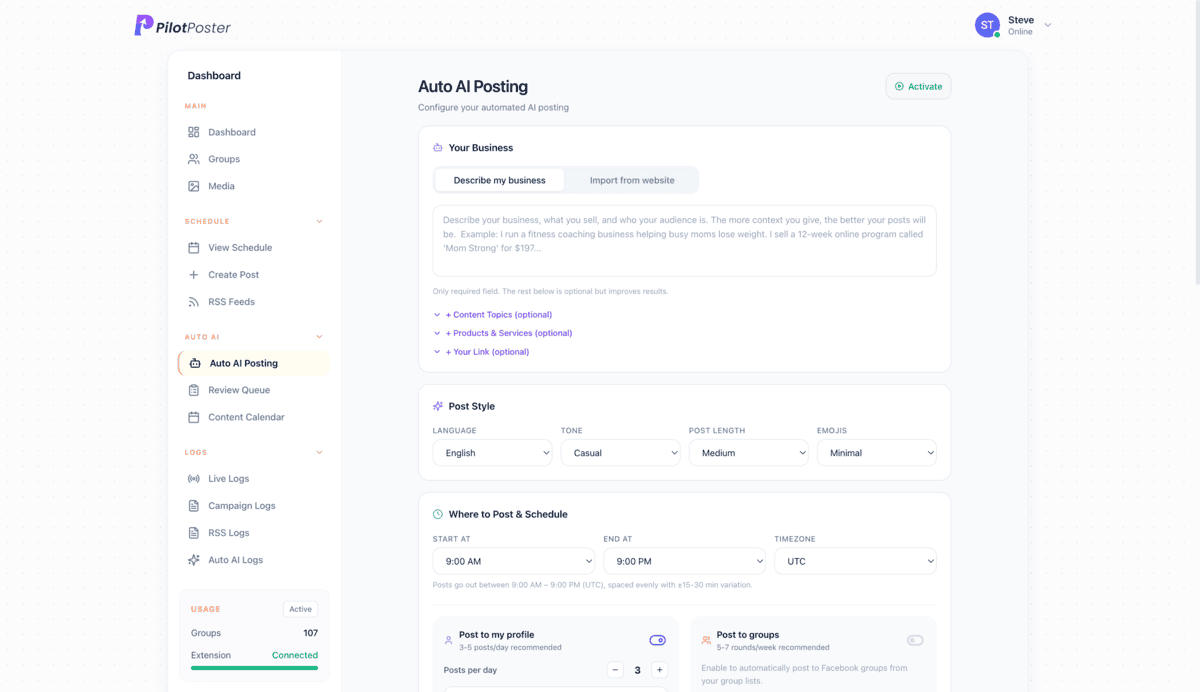
Each day Auto AI fills the post slots you set up. For every slot it picks a post type from your mix, writes the post for your business, adds an image if that type gets one, and queues it inside your posting window, spaced out with a little natural variation. Take Dana’s Lawn Care: two profile posts a day and a few posts to local groups. Monday might bring a quick mowing-height tip in the morning and a spring cleanup offer after lunch. She checks the calendar on her phone, approves the queue over coffee, and spends her time answering comments and booking jobs instead of staring at a blank post.
How does Auto AI learn your business?
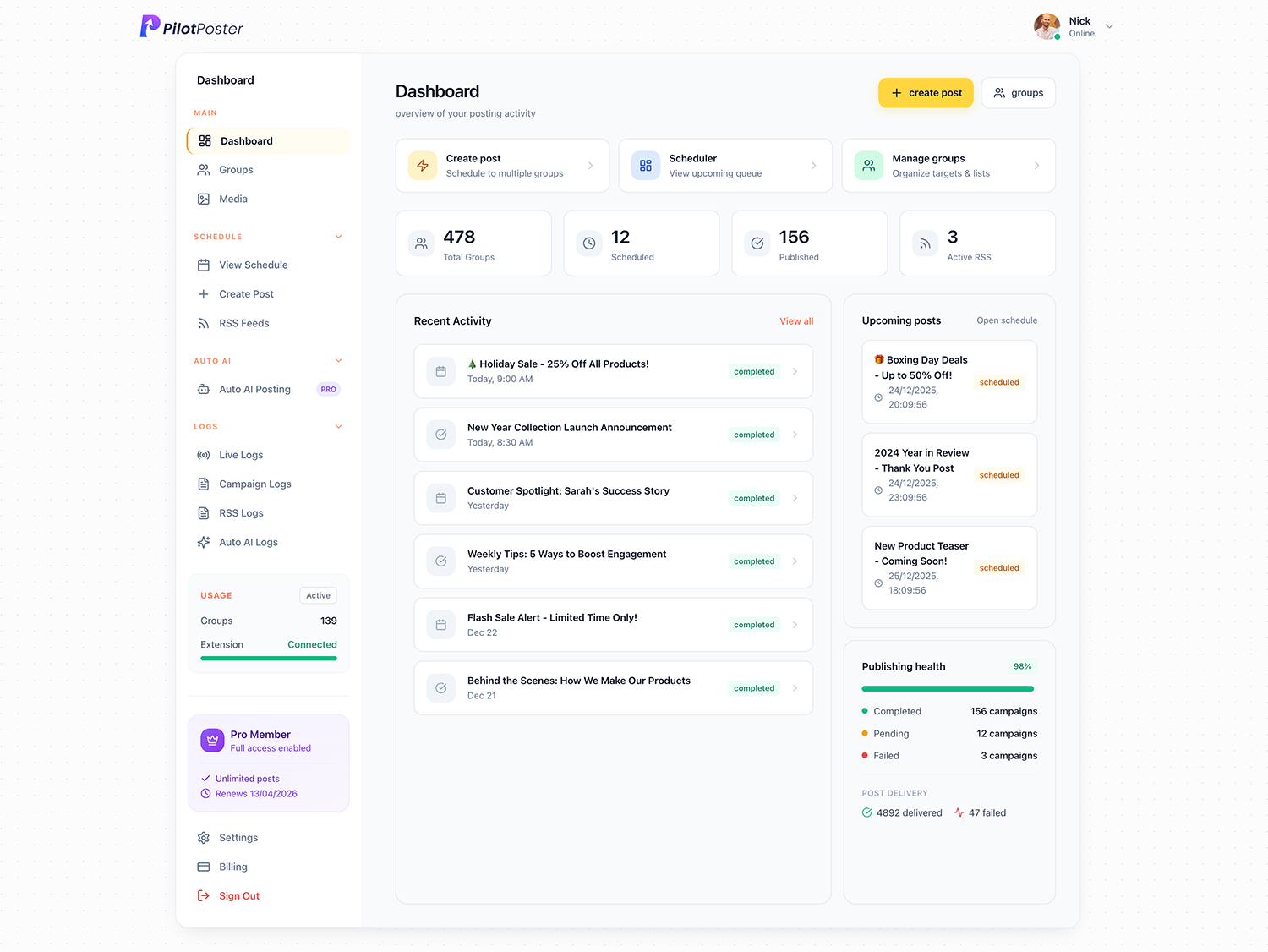
It starts with your website: paste the address and Auto AI reads your services, products and the words you already use, or you pick a quick-start template such as Local Business or Real Estate Agent. Brand Memory then keeps the rules it reads before every post: phrases you never want, your preferred calls to action, and notes about your customers. Every post you approve, edit or rate with a thumbs up becomes an example of what you like, so the writing gets sharper and more like you every week.
Why is Auto AI the most powerful AI Facebook auto poster?
Most AI writing tools stop at a draft and leave the posting to you. Auto AI does the whole job, from the idea to the published post, across your profile and every group you have joined. It is built into PilotPoster, the Facebook group marketing software small businesses have trusted since 2020.
-
Plans, writes and publishes
A full daily posting calendar, written and posted for you, not just a text box.
-
Profile and groups together
Your warm audience and new local customers, each on its own schedule.
-
Learns your business
Your website, Brand Memory and every post you rate shape what it writes next.
-
Organic publishing
Every post goes out exactly like one you made yourself, with built-in account protection.
-
Images included
A custom image for each post, so your offer stands out in the feed.
-
You stay in control
Review Before Posting, blackout dates and a clear log of every post.
The result: a profile and groups that stay active every day, more people seeing your offers, and hours back every week. A salon owner gets her open slots in front of local moms each morning, a realtor shares a fresh market tip and listing every day, and a cleaning company keeps its move-out special visible in every neighborhood group, all without writing a single post.
Set it up in about ten minutes
Three steps, then Auto AI takes it from there.
1
Describe your business
Paste your website address and Auto AI reads it, pulling in your services, products and the way you talk about them. Or type a short description.
2
Set your preferences
Choose posts per day, the post types to include, a posting window, tone, language and whether to add AI images. Start from a template if you like.
3
Let it post, or review first
Auto AI writes and publishes on your schedule. Turn on Review Before Posting and every post waits for your OK.
9 post types, mixed for you
You choose how many of each, and Auto AI rotates through them.
Informative
Tips and how-tos your customers actually want to read.
Soft Sell
Your offer, mentioned naturally after something useful.
Hard Sell
Direct promotion with a clear call to action.
Engagement
Questions that get people commenting.
Story / Personal
Behind-the-scenes moments that build trust.
Motivational
Uplifting posts people share and save.
Testimonial
Customer wins, told without bragging.
Hot Take
A bold opinion that starts a discussion.
Seasonal / Trending
Holidays and current events, by country.
Will AI posts sound robotic?
Not with Auto AI. Generic AI writing is easy to spot and easy to scroll past. Auto AI writes from your business, your services and your own words, so posts sound like a real owner who knows the trade.
- No filler phrases or buzzwords
- Your tone: professional, casual or fun
- Short, medium or long posts, with as much or as little emoji as you like
- 13 languages, from Spanish to Korean
- Thumbs up or down on any post to steer future ones
✕ Generic AI output
"In an ever-evolving landscape, it's crucial to embrace synergistic approaches that transform your business. Let's unpack the power of..."
✓ Auto AI output
"Something most people get wrong about home buying: waiting for rates to drop. Rates change weekly. Your budget and lifestyle won't. Here's what I tell every first-time buyer I work with..."
Can I review posts before they go out?
Yes, you stay in full control. Turn on Review Before Posting and each post waits in a queue until you approve, edit or skip it. Leave it off and Auto AI posts hands-free. Many owners review for the first week or two, then let it run on autopilot.
Review queue
With Review Before Posting on, every AI post waits in a queue. Approve, edit or skip it.
Content calendar
Every past and upcoming AI post on one calendar, so you always know what is next.
Weekly summary
An email each week summing up everything Auto AI published for you.
Delivery log
Every post, where it went and when, so you always know exactly what your AI published.
Auto AI vs AI rewrite: what is the difference?
They work together. AI rewrite takes a post you wrote and gives every group its own version. Auto AI writes the posts in the first place. Turn on Auto AI and you get both working for you.
Included in PilotPoster
AI rewrite
You write one post and AI rewrite turns it into a different version for each group, so twenty groups do not see identical text. Prefer to pick every word yourself? Use spintax instead. Best when you know what you want to say.
Upgrade from your dashboard
Auto AI
You describe your business once. Auto AI plans, writes and posts new content every day, to your profile and groups. Best when you know you should post daily but never find the time.


Does Auto AI add images to posts?
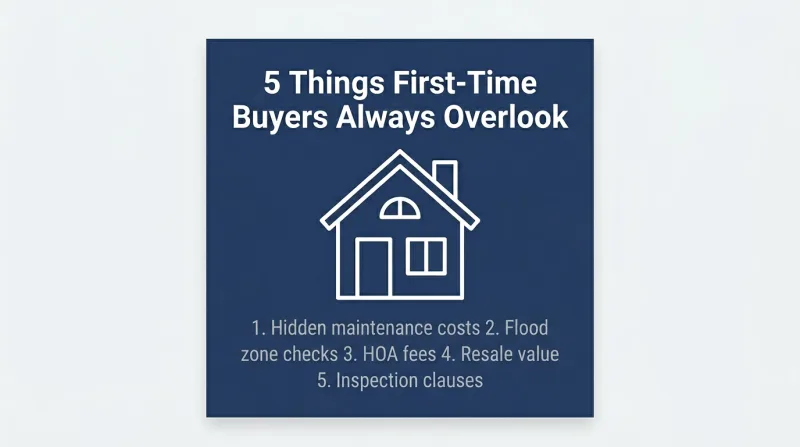
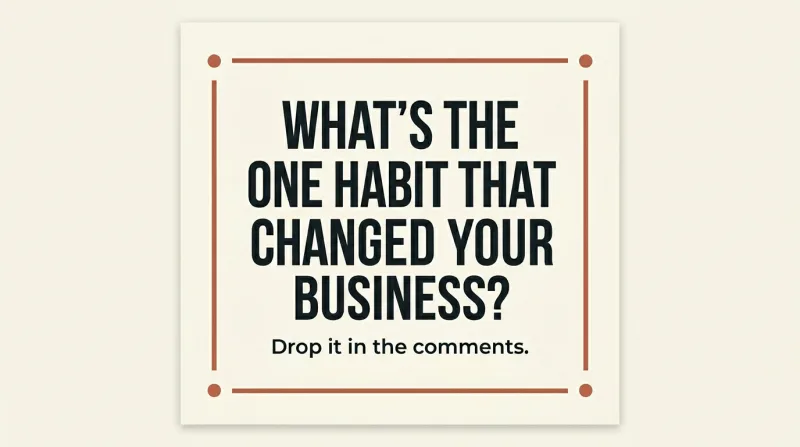
Yes. Auto AI creates a custom image made for each post, never a reused stock photo, on every post, about half, or now and then. Posts with eye-catching images stop the scroll in busy feeds, so your offer gets noticed by more of the right people.
Tools that keep the AI on your brand
Brand Memory
Phrases to avoid, your calls to action and customer notes, read before every post.
AI Content Planner
Turns a web page or an offer into a multi-week plan for you to check.
AI Quality Gate
Flags unsupported claims, too much selling and off-brand wording.
Controlled Experiments
Test two versions of a post across your groups.
How much does the Facebook AI auto poster cost?
PilotPoster is $47 a month, with group posting, scheduling, recurring campaigns, and spintax or AI rewrite for every group included. Auto AI is an upgrade you can turn on anytime from your dashboard, so you start with the core tools and add daily AI posting the moment you want it. Your first month is $24.
“The app has changed my business ten fold in just a short amount of time, that too with too little effort. I would advise everyone to give it a try once, it might be worth it for your business.”

Catherine Williams
Tour Guide, Kash n' Karry
PilotPoster Pro
$47/mo
- Posting to your profile and every group you’ve joined
- Scheduling, recurring campaigns and the content calendar
- Spintax or AI rewrite for every group
- Auto AI daily posting, ready to turn on from your dashboard
$24 first month · Cancel anytime
What is a Facebook AI auto poster?
A tool that writes Facebook posts with AI and publishes them on a schedule. PilotPoster’s Auto AI does this for your profile and your groups, in your business’s voice, and you can review each post first if you like.
Will AI posts sound robotic?
No. Auto AI writes from your own website and description in the tone you pick, and Brand Memory keeps out words you never want. Every post you approve or rate teaches it what sounds like you.
Can I review posts before they go out?
Yes. Turn on Review Before Posting and every AI post waits in a queue until you approve, edit or skip it. Nothing in the queue is published without your OK.
Does Auto AI post when my computer is off?
Posts publish through Chrome on your computer during your posting window; anything due while it’s off goes out as soon as you’re back online. You can review and approve posts from any device, including your phone.
How is Auto AI different from AI rewrite?
AI rewrite gives every group its own version of a post you wrote. Auto AI writes brand-new posts every day and publishes them for you. One polishes your post; the other runs your whole posting calendar.
Does it post to my personal profile and to groups?
Yes. Profile and group posting run on separate schedules, so you can run both or only one and set how many posts each gets per day.
Does Auto AI work for my kind of business?
Yes. It learns from your website or a short description, so it writes just as well for a lawn care company, a salon, a realtor or a bakery. Quick-start templates get you posting in minutes.
How do I turn on Auto AI?
Open your PilotPoster dashboard and turn on Auto AI as an upgrade. It adds daily AI-written posts, AI images and the review queue to the tools you already use, and setup takes about ten minutes.
Is there a free trial?
Instead of a free trial, your first month of PilotPoster Pro is $24 (normally $47), with full access. Turn on Auto AI from your dashboard whenever you’re ready. Cancel anytime.




4.5 on the Chrome Web Store
Let AI post for you every day
Describe your business once. Auto AI writes and posts fresh content to your profile and groups, and you can review it first.