Solutions · Ecommerce Sellers
Facebook group posting for ecommerce sellers
Buy-sell groups and niche fan communities are full of people already in a buying mood. PilotPoster promotes your products across all of them on a schedule, spinning each caption and shuffling images so every drop reaches ready buyers in every group with a post that feels fresh. It is the most complete Facebook marketing software for online sellers who want more sales from every launch.
4.5 on the Chrome Web Store · Featured 1-day trial for $0 Cancel anytime
How do online sellers use PilotPoster?
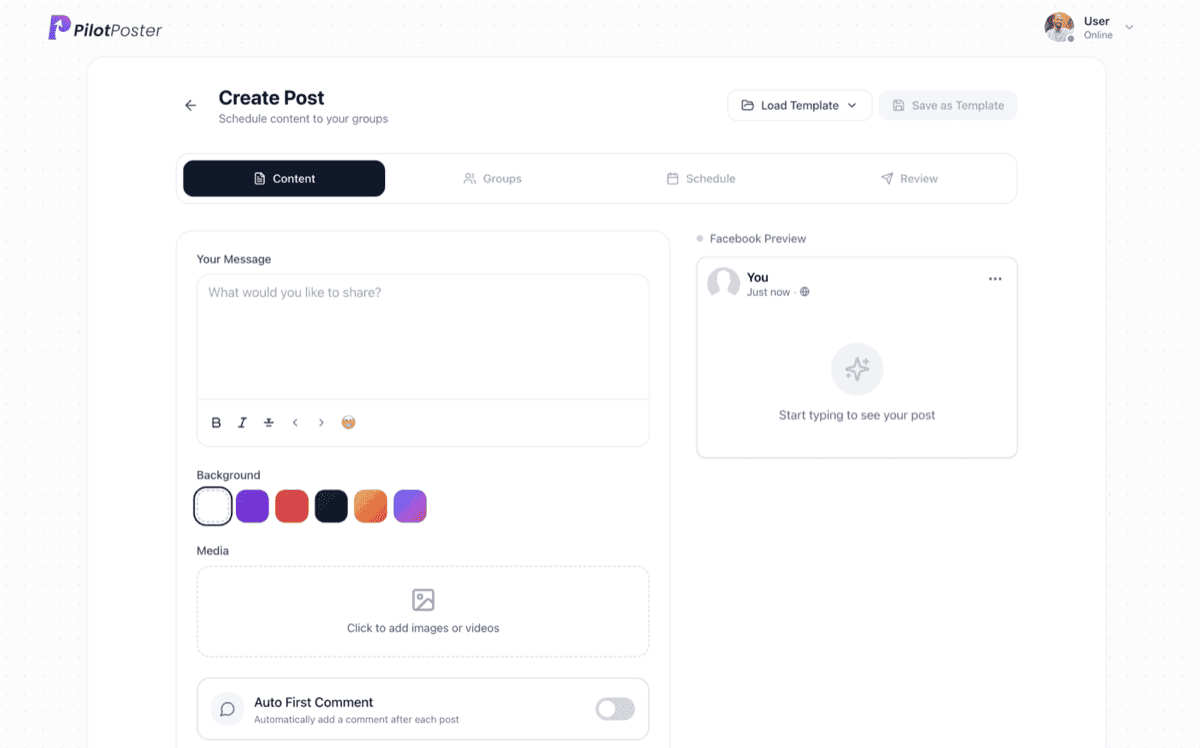
Ecommerce sellers use PilotPoster to schedule product promotions across buy-sell and niche groups they have joined, with a unique spun caption and shuffled images for each group. New drops and restocks post automatically, product links live in the first comment one tap away, and store RSS feeds can push new arrivals out on their own.
The two kinds of groups that actually convert
Ecommerce reach in groups comes from two very different places, and mixing them up is why most sellers give up. Keep them in separate saved lists and post to each differently. Our full ecommerce group marketing guide breaks down the approach for each.
- Buy-sell-trade groups: high purchase intent, direct listings welcome, price up front
- Niche interest and fan groups: lower tolerance for ads, so lead with lifestyle and use-cases
- Local pickup and "{city} marketplace" groups for anything you can hand off in person
- Deal, coupon, and bargain-hunter groups for sale and clearance pushes
- Hobby communities around what your product is for, not what it is
Time your posting around drops and buying windows
Products sell on momentum. Schedule around your launches and the times your buyers are actually online rather than posting whenever you remember. Our data on the best time to post in Facebook groups is a good starting point, then tune to your own audience.
- Queue new-drop posts to fire the moment a product goes live
- Schedule weekend sale posts on Thursday and Friday evenings when scrolling peaks
- Run restock alerts automatically when a bestseller comes back
- Loop evergreen bestsellers on a recurring schedule between launches
- Pull new arrivals straight from your store feed with RSS autoposting
Product posts that do not read like ads
The scroll-stopping product post shows the item in use or leads with a reason to care, then lets the price and link follow. Vary the angle so the same product feels fresh across groups:
- "New drop just landed, only {qty} in stock" with a shuffled set of product shots
- "Weekend sale: our bestseller, {discount} off today only"
- "Customer favorite is back in stock, these sold out in a day last time"
- "Here is how {customer} styled ours" for lifestyle-led niche groups
Different images for different groups, automatically
A fresh look in every group earns more attention. Attach several images and PilotPoster's media shuffle sends a different lead shot to each group, while spintax varies the caption. Your catalog looks fresh everywhere, and every group sees a post that feels made for it.
Scale every drop with built-in account protection
A clean post with the link in the comments gets more attention, and a fresh version in every group keeps your listings welcome. PilotPoster keeps your store link in the first comment and runs every campaign with built-in account protection and human-paced organic posting, so you can cover dozens of groups per drop and keep selling week after week.
A sample Facebook group post for ecommerce sellers
A product post for a small online shop. It leads with what is new, answers the shipping question before anyone asks, and keeps the shop link in the first comment. Copy it, change the details to yours, and schedule it to your groups with a different version for each one.
Restock day! The fall candles are back: Apple Orchard, Woodstove and Maple Pecan, hand poured in small batches in my kitchen in Duluth. Every jar is soy wax with a cotton wick, and they ship in two business days. Local to Duluth or Superior? Pick up from my porch for free. Shop link is in the first comment. Tell me your favorite fall scent and I might make it next.
Sample post. Names and places are examples.
Can I post different images to different groups?
Yes. Attach up to seven media files and turn on media shuffle so each group sees a different image, which keeps your posts looking fresh and organic.
Can new products post automatically?
Yes. Connect your store's RSS feed and new arrivals share themselves to the groups you choose, with no manual posting on each launch.
Where do my product links go?
In the first comment. PilotPoster adds them automatically after the post lands, so the post stays clean while buyers still get a one-tap link to buy.
Is it allowed to post the same product to many groups?
Posting to groups you have joined is fine when it is organic and varied. PilotPoster spins each caption, shuffles images and posts at a human pace, so every listing reads like a real seller sharing something great.
Does this work for print-on-demand and dropshipping too?
Yes. Any product you sell online can be promoted across relevant buy-sell and niche groups on a schedule, whether you hold inventory or not.
Keep exploring
Other solutions
- Real Estate Agents Put listings, open houses, and market updates in front of every local buyer and seller group.
- Coaches & Consultants Show up daily in the communities where your ideal clients already hang out, without writing a word.
- Local Businesses Reach every community and neighborhood group in your area with offers, events, and updates.





4.5 on the Chrome Web Store
Put your Facebook group posting on autopilot
Keep your business in front of every group you’ve joined, every week, without the copy and paste.