Facebook Profile Auto Poster
A Facebook profile auto poster that keeps you visible
A Facebook profile auto poster publishes posts to your personal Facebook profile on a schedule, so friends, neighbors and past customers keep seeing you and keep sending you work, without you posting by hand every day. PilotPoster schedules the posts you write, or its Auto AI writes and posts them for you, every single day.
4.5 on the Chrome Web Store · Featured $24 first month Cancel anytime
Can I auto post to my personal Facebook profile?
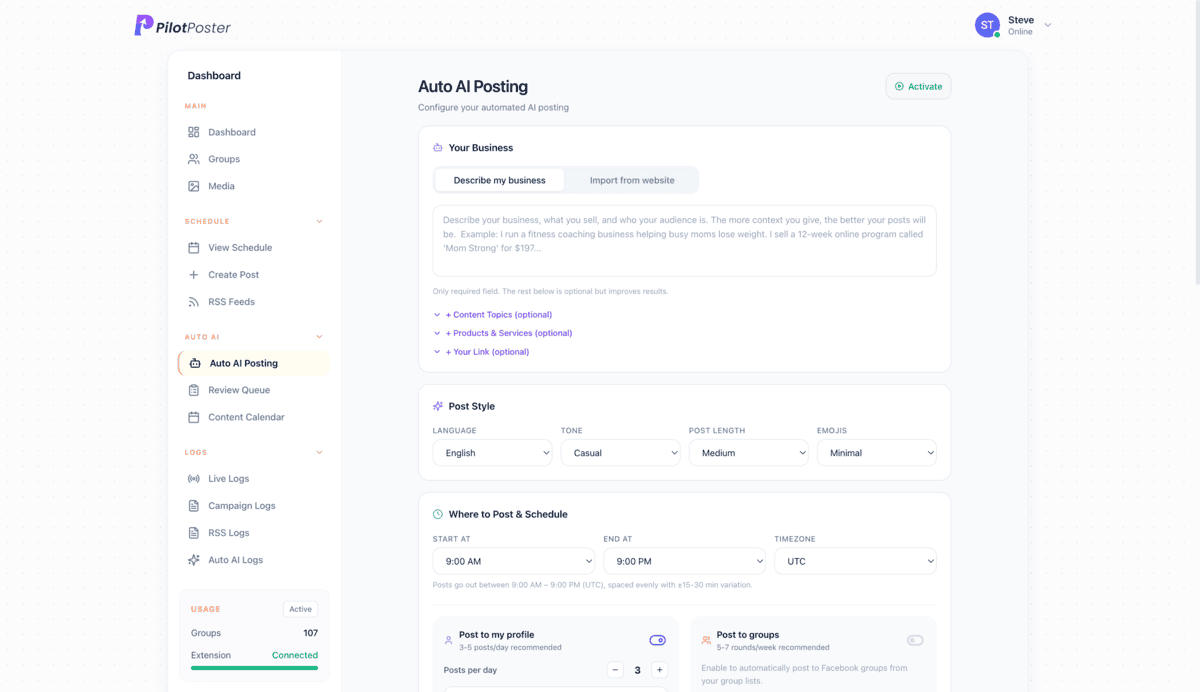
Yes, with PilotPoster. Facebook’s scheduling tools are built for Pages, and most social media tools cannot publish to a personal profile at all. PilotPoster posts to your profile exactly like a post you made yourself: schedule the posts you write, or turn on Auto AI and it writes and publishes fresh posts every day.
What is a Facebook profile auto poster?
It is a tool that posts to your personal timeline for you, at the times you choose. For small business owners the personal profile is the warmest audience there is: friends, family, school parents, old coworkers and past customers. They may never follow a business Page, but they see your profile, and they are the people most likely to hire you or refer you. A realtor like Mike Kowalski who posts a market tip, a new listing and a client story each week is the agent people think of when a cousin asks for a recommendation. PilotPoster keeps that steady presence going without you sitting down to post.
Two ways to auto post to your profile
- Schedule your own posts: write a post, pick a date and time, and repeat it if you like
- Let AI write them: turn on Auto AI from your dashboard and it plans, writes and posts fresh content to your profile every day
- Mix them: schedule your big announcements and let AI fill the days in between
- Both can post to your groups too, on a separate schedule
- Both run on autopilot once set up, so your profile never goes quiet
Profile, Page or groups: where should you post?
The fastest-growing small businesses use all three, and PilotPoster ties them together. Your profile reaches people who already know and trust you; PilotPoster keeps it active every day. Groups reach new local customers in every neighborhood; PilotPoster posts in every group you have joined, with a unique version for each one. Your business Page builds your brand, and PilotPoster can post as your Page in groups where Facebook allows it. One dashboard, one calendar, every audience. Read posting to groups as a Page for the details.
What kinds of posts does Auto AI put on your profile?
The profiles that win customers mix helpful, personal and selling posts. Auto AI rotates nine post types, and you set how many of each you want:
- Informative tips that show you know your trade
- Story and behind-the-scenes posts that feel personal
- Soft sell posts that mention your offer after something useful
- Engagement questions that get friends commenting
- Customer wins and testimonials, without bragging
- Motivational, hot take, seasonal and hard sell posts in the mix
Settings you control
Auto AI follows your rules, and you can change them at any time:
- Posts per day, a posting window and your timezone
- Tone, length, emoji level and one of 13 languages
- An AI image on every post, about half, or now and then
- Your link woven into selling posts, with a preview card
- An automatic first comment under each post
- Review Before Posting: approve, edit or skip each post
- Blackout dates for holidays and days off
- Built-in protection that pauses and alerts you if several posts in a row are held up
Can I manage my profile posts from my phone?
Yes, once you are set up. Do the first setup on a computer: install the Chrome extension and connect your Facebook account. After that, plan and schedule from any device, including your phone. Posts publish organically through Chrome on your computer, so every post goes out exactly like one you made yourself. Check the calendar, approve AI posts and tweak your schedule between appointments, and your profile keeps posting while you are out on jobs.
Who uses a Facebook profile auto poster?
Any business where people buy from someone they know. Owners use PilotPoster to keep their profile working for them:
- Realtors sharing listings, market tips and closing-day stories
- Salon and spa owners filling open appointment slots
- Lawn care, cleaning and handyman businesses posting before-and-after photos
- Bakeries and caterers announcing weekly specials and holiday orders
- Coaches and consultants sharing tips that turn friends into clients
How to auto post to your Facebook profile
About ten minutes the first time. After that it runs on its own.
-
Step 1: Add the Chrome extension
Create your PilotPoster account and add the extension to Chrome, where you already use Facebook. PilotPoster never asks for your Facebook password.
-
Step 2: Write a post, or describe your business
Write the post with text, photos or a colored background. Or turn on Auto AI, paste your website address and it learns what you do.
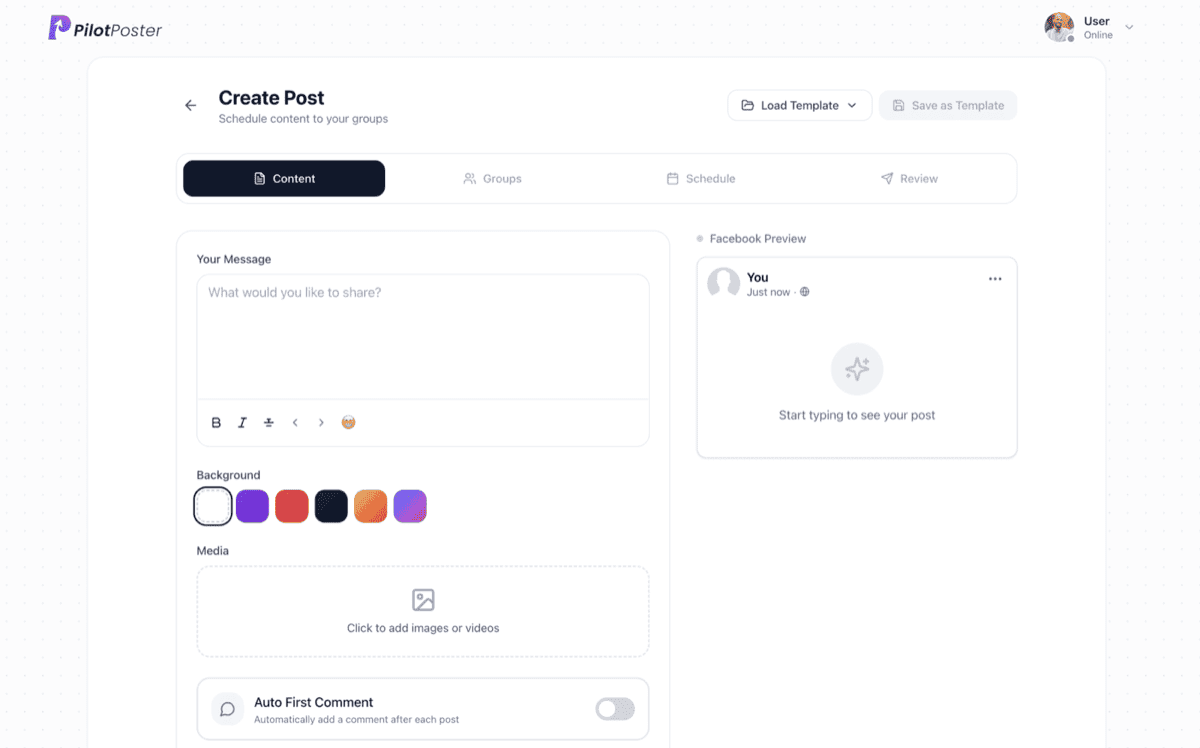
Write the post once: text, colored backgrounds, photos or video, and an automatic first comment. -
Step 3: Pick the time and how often
Choose the date and time, or a daily posting window for Auto AI. Set a post to repeat weekly, or choose how many AI posts go out each day.
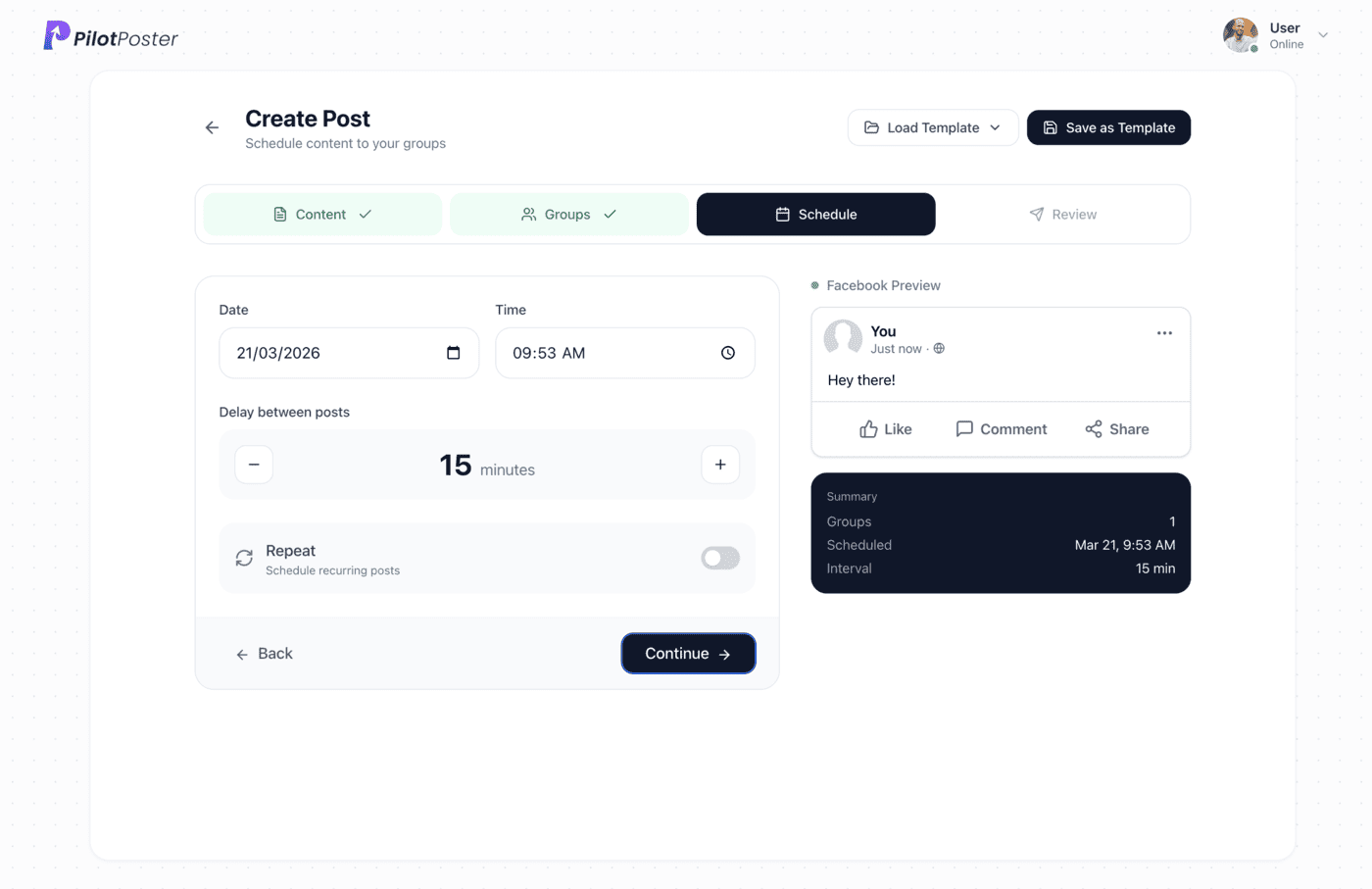
Pick the date and time, the delay between groups, and whether the post repeats. -
Step 4: Check the calendar and logs
Every post shows on the calendar and in the log, so you always know what went out and when. Rate AI posts to steer what comes next.
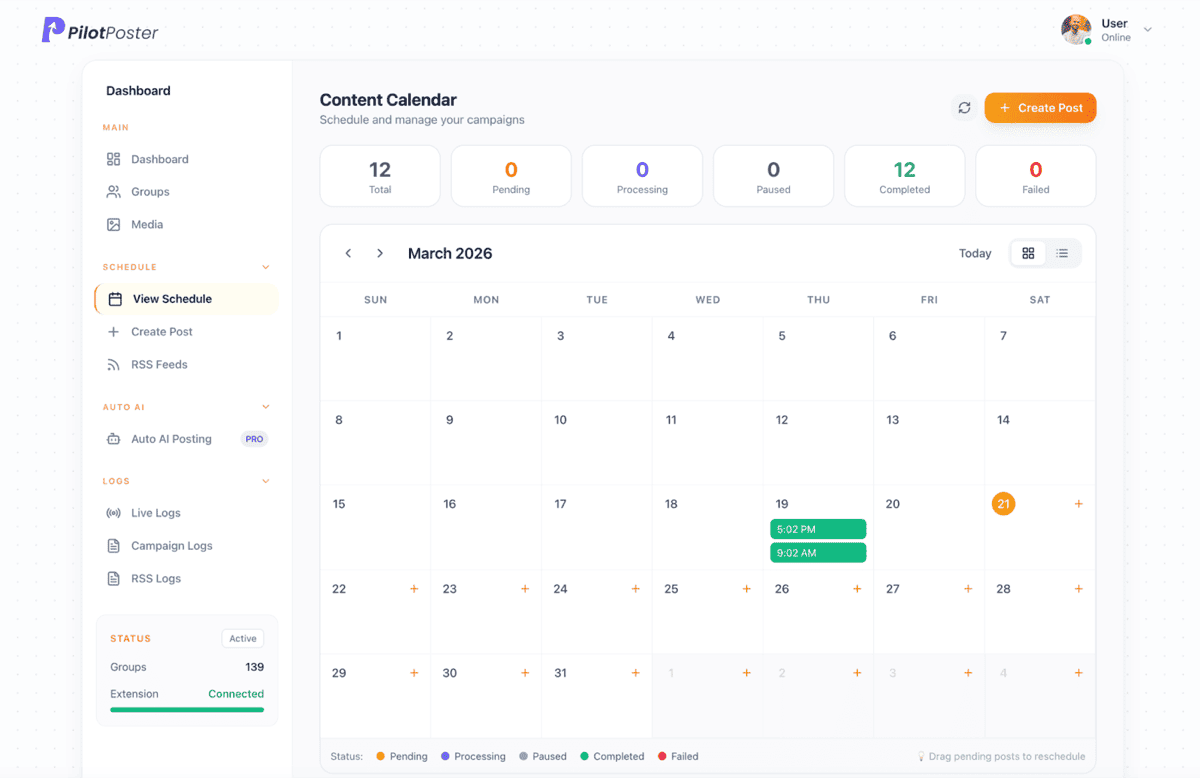
The content calendar: every scheduled and completed post at a glance.
“PilotPoster makes it easy for me to reach a large number of people easily and effectively from time to time. The pricing is unbelievable.”

Buck Goddard
Marketing Manager, Crown Books
Can I auto post to my Facebook profile?
Yes. Schedule your own posts to your personal profile, including weekly repeats, or turn on Auto AI from your dashboard and it writes and publishes fresh posts every day inside the window you choose.
Why can’t most social media schedulers post to my profile?
They publish through Meta’s API, which does not allow posting to personal profiles, and Meta Business Suite is aimed at Pages. PilotPoster publishes organically, so it can keep your profile active every day.
Will my friends know the posts are written by AI?
Not if you don’t tell them. Auto AI writes from your own website in the tone you choose and avoids the stock phrases that give AI away. Turn on Review Before Posting to approve or edit anything first.
How many posts per day go to my profile?
You choose. Set the number of posts and the posting window, and Auto AI spaces them out naturally. Pause, change the count or block out dates whenever you like.
Can I post as my business Page instead?
Yes, in groups. PilotPoster can post in groups as your Page where Facebook allows it, so your campaigns go out under your business name and logo. Pair it with daily profile posts to cover both audiences.
Can I post to my profile and my groups at the same time?
Yes. Profile and group posting run on separate schedules, and both show in the same calendar and logs. Every group gets its own version of the post.
Does it work with more than one Facebook account?
Yes. Each license covers one Facebook profile or Page, and you can add a license for each extra account, such as a business partner’s. Every account runs its own campaigns and calendar.
How much does the Facebook profile auto poster cost?
$47 a month (or $390 a year). Your first month is $24. Profile scheduling is included, and Auto AI is an upgrade you can turn on anytime from your dashboard.




4.5 on the Chrome Web Store
Keep your profile active without writing every day
Schedule your own posts, or let Auto AI write and post them to your profile and groups.