Solutions · Event Promoters
Facebook group posting for event promoters
Every event lives or dies by the days right before it, when the same local Facebook groups keep passing around word of what is happening this weekend. PilotPoster schedules your whole promotion, from first announcement through the last-call push, across every community group that matters, so ticket sales build steadily instead of stalling after day one. It is the most complete Facebook marketing software for promoters who want packed rooms and sold-out nights.
4.5 on the Chrome Web Store · Featured 1-day trial for $0 Cancel anytime
How do event promoters use PilotPoster?
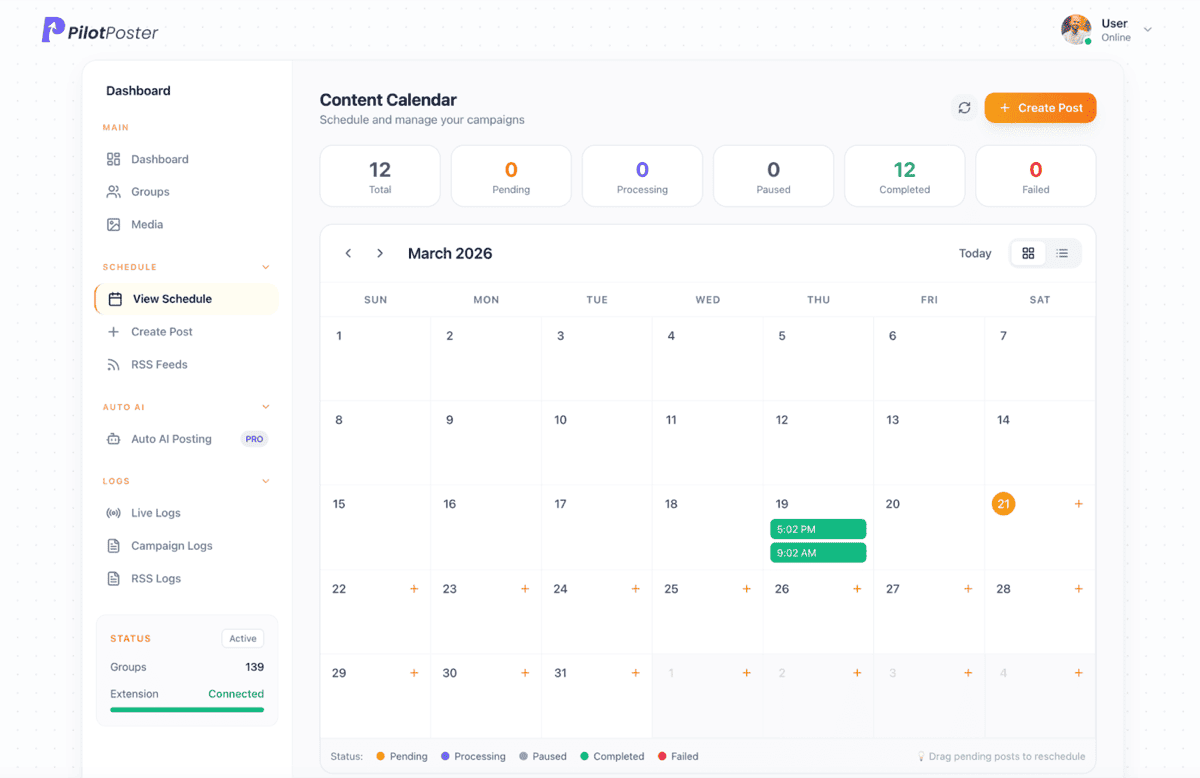
Event and venue promoters use PilotPoster to schedule an announcement, countdown, and last-call sequence across the local and interest-based Facebook groups they have joined, all set up once and left to run until the date. Ticket links sit in the first comment and can be tracked back to the group that drove the click, and a recap post afterward builds social proof for the next event.
The groups that actually move tickets
Event turnout is decided by whoever sees it in the days before, so target the groups your attendees are already scrolling: their city, their scene, and their specific interest.
- "{city} events" and "things to do in {city} this weekend" groups
- Neighborhood and community groups near the venue
- Genre, hobby, or interest groups that match the event
- Past-attendee or fan groups for repeat events and residencies
- Local business and tourism groups if the event draws visitors
A countdown sequence you set up once
The strongest promotions build in stages instead of relying on one announcement to do all the work (see the full 6-week event countdown plan). Schedule the whole run in advance so nothing depends on you remembering to post:
- Announcement: the date, the details, and the ticket link, posted early
- Mid-run reminder: a lineup detail, a guest, or a reason to care
- Countdown: "one week to go" posts to every targeted group
- Last call: "today's the day" or "almost sold out" in the final hours
- Recap: a highlight or thank-you post that sets up the next one
Posts that create urgency without sounding desperate
Good event copy gives people a reason to act now, not just information. A few angles that work across most events:
- "{event} is {date}, tickets are moving, grab yours before they're gone"
- "One week out: here's who's playing / what's happening at {event}"
- "Last call, doors open at {time} tonight"
- "Thank you to everyone who came out, here's what you missed"
See which groups actually sold tickets
Keep the announcement clean and let PilotPoster's auto first comment add your ticket link moments after the post goes live. Wrap it as a tracked link and you can see exactly which groups drove real clicks, so the next event's group list is built on data instead of a guess.
Retarget the groups that missed the first push
If a batch of groups failed or a post got missed the first time around, delivery reports show you exactly which ones, and Smart Retargeting turns that into a follow-up campaign aimed only at the groups that need it, instead of reposting to every group again. Install the Event Promoter Kit and the announcement, countdown, last-call, and recap templates are ready to schedule.
A sample Facebook group post for event promoters
An event post that answers what, when, where and how much in the first few lines, then gives one reason to bring friends. Copy it, change the details to yours, and schedule it to your groups with a different version for each one.
The Riverfront Night Market is back this Saturday, 5 to 10 pm, at Ross’s Landing. Free entry, and dogs on a leash are welcome. More than forty local makers, food trucks and a live bluegrass set at 7. Bring a chair, bring the kids, bring an appetite. Parking fills fast, so the free shuttle from the North Shore runs every 20 minutes. Tag the friend you are bringing.
Sample post. Names and places are examples.
Can I schedule the entire promotion in advance?
Yes. Build the announcement, countdown, and last-call posts once and schedule them against your event date, and PilotPoster runs the sequence automatically without you touching it again.
Where should my ticket link go?
In the first comment. PilotPoster adds it automatically after the post, so the announcement stays clean while the ticket link is still one tap away.
Can I see which groups actually sold tickets?
Yes, if you wrap your ticket link as a tracked link with Outcome Tracking. You will see clicks and conversions attributed back to the exact group and post.
What if a post fails in some groups?
Your delivery reports show exactly which groups failed or were missed, and Smart Retargeting lets you create a follow-up campaign aimed only at those groups.
Is there a ready-made template kit for events?
Yes. The Event Promoter Kit includes announcement, countdown, last-call, and recap templates you can install and customize in one click.
Keep exploring
Other solutions
- Real Estate Agents Put listings, open houses, and market updates in front of every local buyer and seller group.
- Coaches & Consultants Show up daily in the communities where your ideal clients already hang out, without writing a word.
- Ecommerce Sellers Promote products to buy-sell and niche groups on a schedule that never misses a drop.





4.5 on the Chrome Web Store
Put your Facebook group posting on autopilot
Keep your business in front of every group you’ve joined, every week, without the copy and paste.