Feature · Posting & Delivery Reports
Posting and delivery reports for every post you send
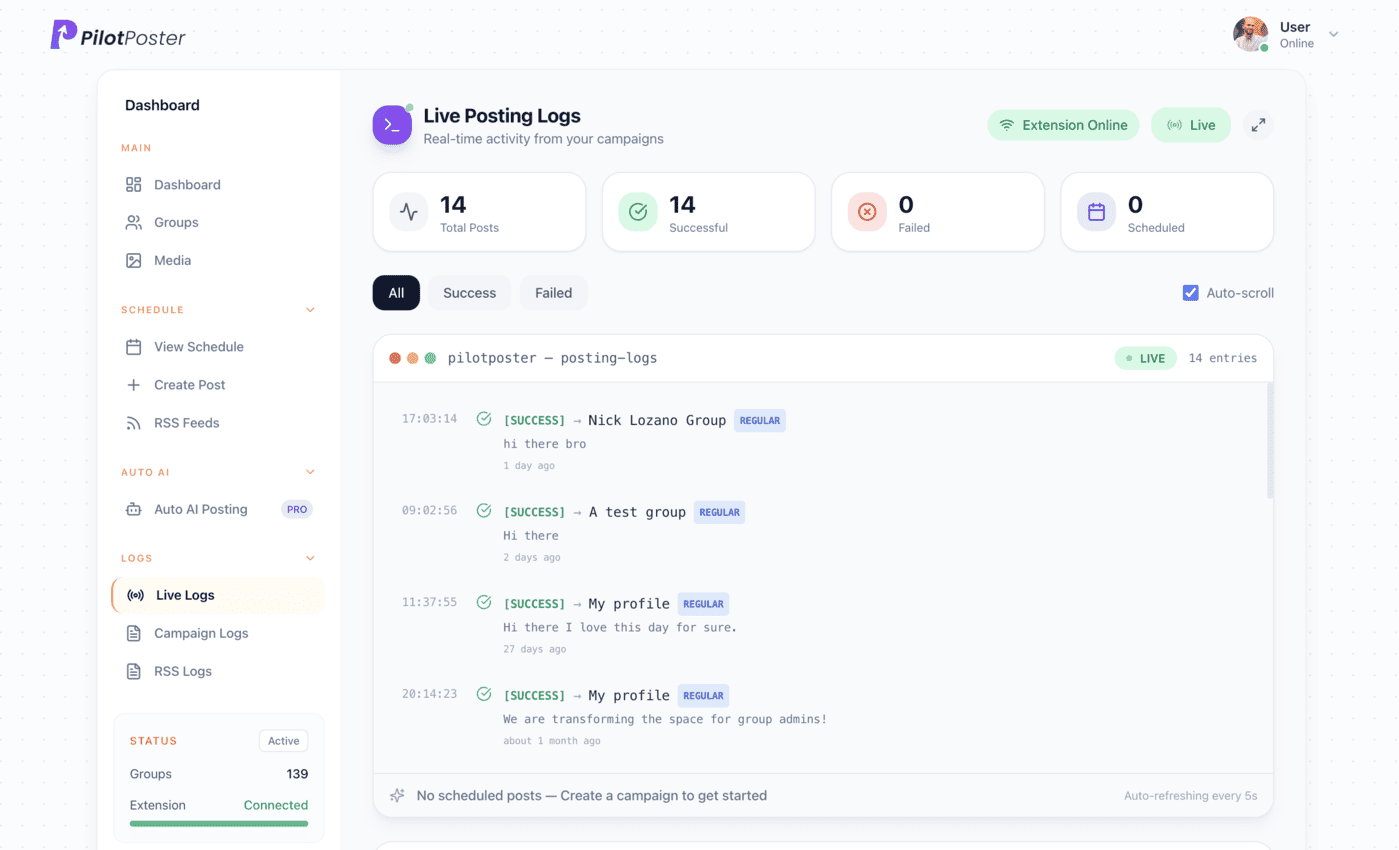
Facebook group posting reports show exactly what went out, where and when. Every post is recorded with the live link, the time, the group, and the exact wording and media that went out, so you have proof of your marketing at your fingertips and a professional record you can hand to a client in seconds.
4.5 on the Chrome Web Store · Featured 1-day trial for $0 Cancel anytime
Can I see exactly which posts went live and where?
Yes. Every post PilotPoster sends, successful or not, appears on your Reports page: which group, what time, whether it went through, the live post URL if it did, and the exact text and media you sent. Filter it by campaign, source or status, and export it as a CSV or save a snapshot.
How do posting reports save you time?
Checking dozens of groups by hand to see where your post landed can eat an afternoon. PilotPoster does it for you. Every campaign builds its own report: the direct link to each live post, the time, the group, and the exact wording and media that went out, including every spintax or AI rewrite version. Anything a group did not accept comes with a clear reason and a one-click follow-up.
- Published post URL and timestamp for every successful post
- The exact final wording and media sent to that group
- A clear reason for every failed post, not a generic error
- Filter by campaign, source and status
- Export to CSV or save a snapshot for a client
When to use it
Kevin Walsh is a freelancer in Columbus who handles Facebook group posting for three local clients: a family dentist, a pizza place and a roofing company. Every month, each client asks: “What did you actually post for us?” Kevin filters the report to one client’s campaigns, exports it to CSV, and sends it over. The client sees every group, every date and a link to every live post, plus a note on any group that held the post for admin approval. Kevin looks organized and professional, and keeps all three clients.
What you control
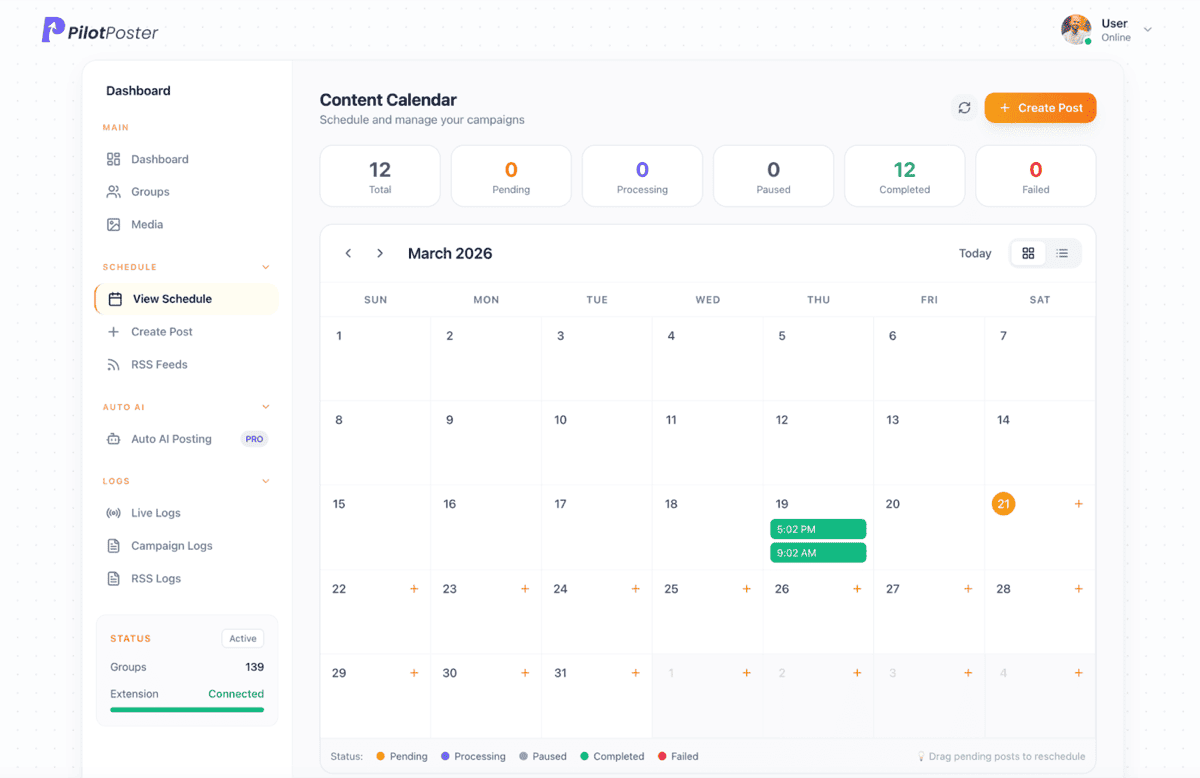
You decide how to slice and share your reports.
- Which campaign or campaigns to include
- Which source: regular campaigns or RSS feeds
- Which status: successes, failures, or both
- CSV export of any filtered view
- Saved snapshots that lock the data as it looked that day
- Branded Client Reports with your logo and colors, sent on a schedule (a dashboard upgrade, perfect for agencies)
The complete picture of your Facebook group marketing
Your posting report is the definitive record of what you sent, where and when, so you never have to click into groups one by one again. Pair it with the rest of PilotPoster’s reporting for the full story of your results: group intelligence for group performance and outcome tracking for clicks and conversions. Together they show what went out, what landed and what it earned you.
What happens if a post fails?
Nothing gets lost. Any groups that missed a post feed straight into Smart Retargeting: one click creates a follow-up campaign aimed only at those groups, so every audience gets your message and no group sees a duplicate. To watch every post go live as it happens, open the live posting monitor while a campaign runs.
A 10-minute monthly review with your posting report
Owners who grow fastest in groups look back once a month. Your report makes it quick:
- Filter to the last month and check which campaigns reached the most groups
- Filter to failures and note any group that missed several posts in a row
- Swap those groups out of your saved lists for fresh, active ones
- Compare with outcome tracking to see which groups sent clicks
- Save a snapshot so you can compare next month against this one
“Pilot Poster helps me post to joined Facebook groups, all from one simple dashboard. That at this price is perfect for me.”

Andrew Richardson
Highland Appliances
Does the report include groups where a post failed?
Yes. Failed posts are listed alongside successful ones, each with a clear reason, and one click turns them into a follow-up campaign.
Can I see which groups got my post?
Yes. Every successful delivery is listed with the group name, the time it went out and a direct link to the live post. Filter by campaign or status to see exactly where one post went.
Can I export the report for a client?
Yes. Export any view to CSV or save a snapshot. Branded Client Reports, a dashboard upgrade, add your logo and colors and send on a schedule.
How do I see which groups bring results?
Use Group Intelligence to score how each group performs over time, and Outcome Tracking to count the clicks and conversions each group sends you.
Does it show the exact wording each group received?
Yes. The report stores the final wording and media sent to each group, including every spintax or AI rewrite version, not just your template.
Do reports cover RSS feed posts as well?
Yes. RSS and Page autoposting posts are recorded like any other campaign, and you can filter the report by source.




4.5 on the Chrome Web Store
Get a report you can actually hand to a client
A complete record of every post, ready to share in one click.