Feature · Saved group lists
Saved Facebook group lists: the right post for the right groups
Saved Facebook group lists are named sets of the groups you have joined, such as “Fort Worth neighborhoods” or “Buy and sell groups”. PilotPoster brings in all your groups for you. Sort them into lists once, and every future campaign reaches exactly the right audience in one click, so the right offer always lands in front of the right customers.
4.5 on the Chrome Web Store · Featured 1-day trial for $0 Cancel anytime
Can I organize my Facebook groups into lists?
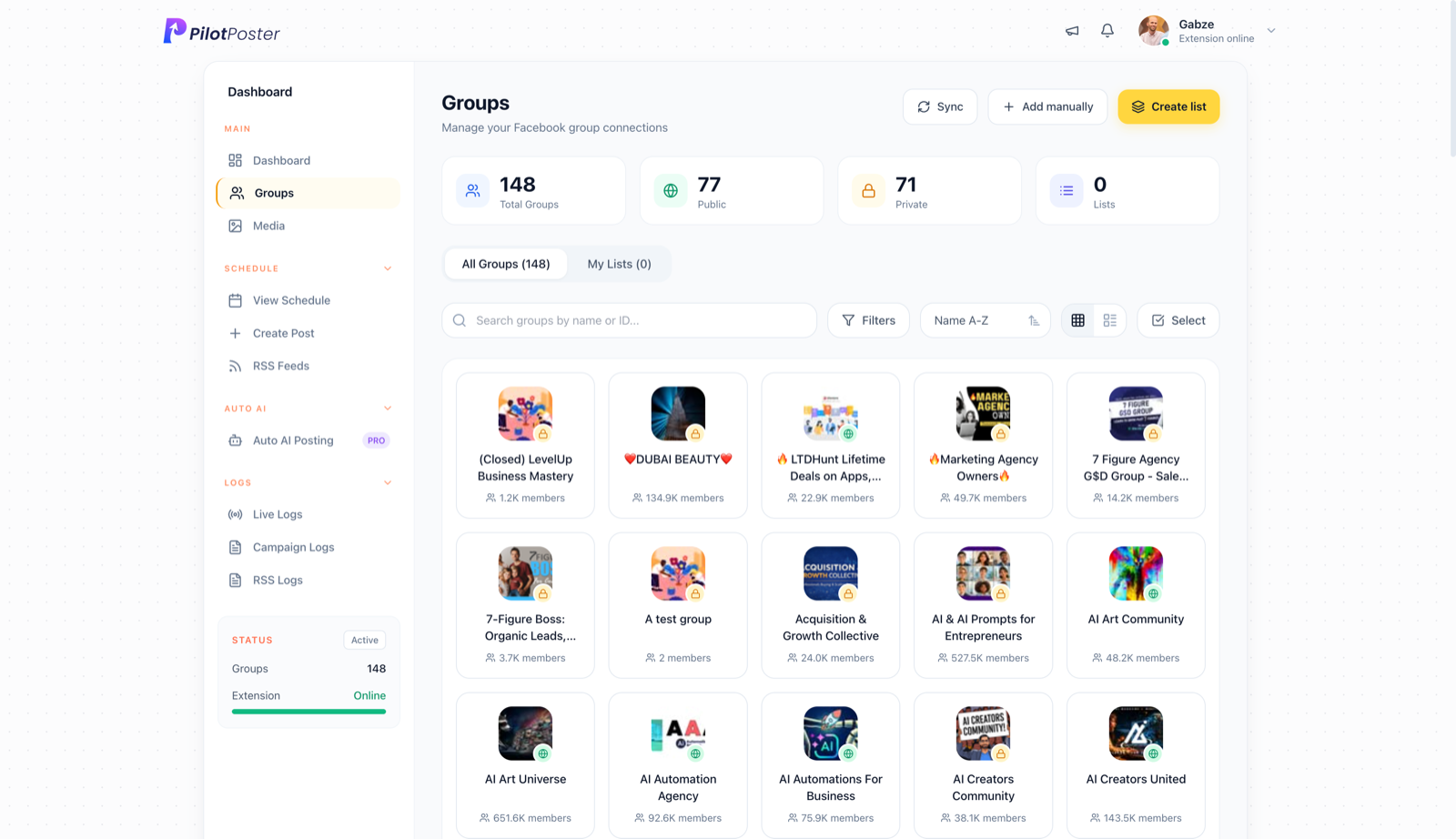
Yes. When you connect PilotPoster, every group you have joined is imported automatically. On the Groups page you can search and filter them, then use Create list to save any set under a name. When you build a campaign, choose a list and every group in it is selected. A group can sit in as many lists as you like.
How do saved group lists save you time and win more customers?
Every group you have joined is waiting on the Groups page with its member count and privacy setting, ready to organize. Group them by town, trade or audience, save each set under a name, and you are done. Join new groups later and one click on Sync brings them in. From then on, every campaign takes seconds to target: pick a list and your post goes to every group in it. Targeted posts get better responses, and every campaign takes seconds to set up.
When to use saved group lists
Kelly Nguyen bakes custom cakes from home in Fort Worth and belongs to about forty groups. Her neighborhood groups like birthday cake photos. Her wedding planning groups want tiered cakes and tasting dates. Her buy and sell groups only allow posts on weekends. So she keeps three lists: “Fort Worth neighborhoods”, “DFW weddings” and “Weekend buy and sell”. Each list gets its own post on its own schedule, the wedding groups never see a unicorn cake, and her tasting calendar stays full.
What you control
- Create as many named lists as you need
- Put one group in several lists
- Search and filter groups by name or type
- Sync new groups, or add one by hand
- Save presets with filters and posting pace
- Built-in “High performers” and “Local groups” presets
Lists, presets and High performers
A list is a fixed set of groups you chose. A targeting preset can also save filter rules and your posting pace, so group choice and pace fill in together. The built-in “High performers” preset picks the groups with the best recent success rate, using data from Group Intelligence, at the moment you apply it. Pair any list with recurring posts and it keeps bringing in customers week after week on autopilot.
“Pilot Poster helps me post to joined Facebook groups, all from one simple dashboard. That at this price is perfect for me.”

Andrew Richardson
Highland Appliances
Do I have to add my Facebook groups by hand?
No. The moment you connect, PilotPoster brings in every group you have joined. Join more later and one click on Sync adds them.
Can a group be in more than one list?
Yes. A group can belong to as many lists as makes sense. A local buy and sell group might sit in both your “Weekend buy and sell” list and your “Fort Worth” list, and you choose which list each campaign uses.
Can I post to groups I am not an admin of?
Yes. Lists can include any group you have joined as a regular member, not only groups you run, so you reach far more groups than admin-only schedulers.
How do I find Facebook groups for my business?
Search Facebook for your town, your trade and what your customers talk about, then read each group’s rules before you join. Look for active groups that allow business posts, even if only on certain days.
What is the difference between a list and a targeting preset?
A list is a fixed set of groups you pick by hand. A preset can also save filter rules and your posting pace. Built-in presets like High performers pick the groups responding best right now.
Do lists work with scheduling and AI?
Yes. Any scheduled, recurring or Auto AI campaign can post to a saved list. Add spintax or AI rewrite and each group in the list gets its own version of the post.




4.5 on the Chrome Web Store
Sort your groups once, post smarter every time
Turn every group you have joined into targeted audiences that bring you customers on autopilot.