Feature · RSS & Page Autoposting
RSS and Page autoposting: new posts share themselves to your groups
RSS autoposting to Facebook groups means your new blog posts and Facebook Page posts are shared to your groups automatically. Connect a blog feed or a Page once, and every new post you publish reaches the local groups where your customers spend their time. You create once, and PilotPoster multiplies your reach on autopilot.
4.5 on the Chrome Web Store · Featured 1-day trial for $0 Cancel anytime
Can I post my blog to Facebook groups automatically?
Yes. Point PilotPoster at your blog’s RSS feed or at a Facebook Page. Whenever something new is published, PilotPoster shares it to the Facebook groups you selected, so every article and special reaches far more people without you copying a link by hand.
What is RSS autoposting to Facebook groups?
RSS autoposting turns the content you already create into a steady stream of group posts. Most blogs and website builders publish an RSS feed of their newest posts, and PilotPoster shares every new item to the Facebook groups you have joined. It works with your Facebook Page too, so every Page post reaches the far bigger audiences in your local groups. It is the easiest way to get more mileage from every article, special and announcement you publish.
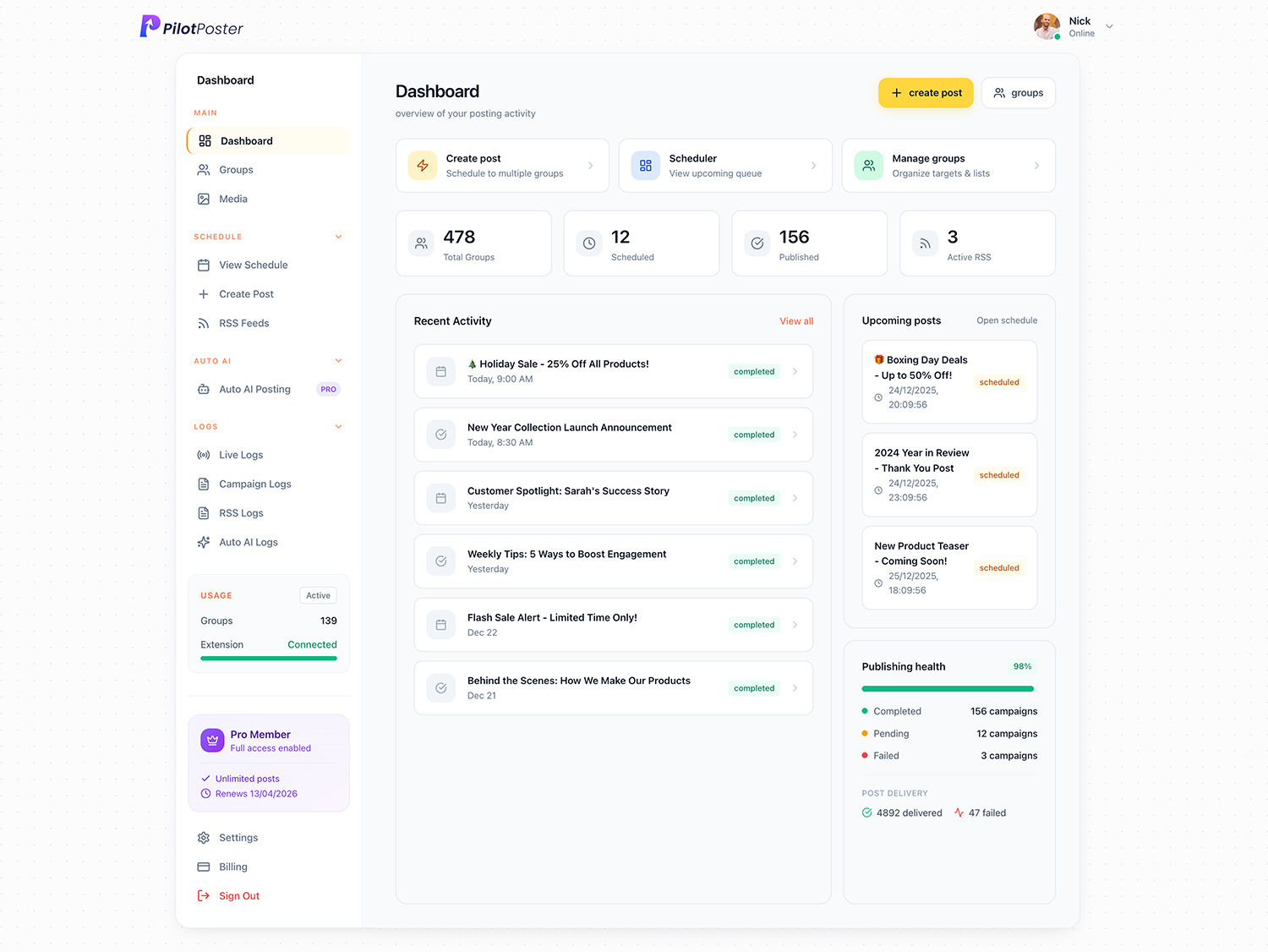
How does RSS autoposting grow your audience?
Add your blog feed or Facebook Page once, pick your groups and add a friendly intro line. From then on, everything new you publish goes out to your groups automatically, on your schedule. Your blog gets more readers, your specials reach more neighbors and your business stays visible every week without extra work. It works with any RSS or Atom feed, including your YouTube channel, so you can share new YouTube videos to Facebook groups too. Every feed post shows up in the live posting monitor next to your regular campaigns.
When to use it
Take Rosie’s Bakery in Dayton. Rosie posts her daily specials on the bakery’s Facebook Page every morning, but few people follow the Page. Her customers hang out in local groups like “Dayton Foodies” and a few neighborhood buy-and-sell groups. With the Page connected, each new special she posts is shared to those groups automatically, so she posts once and reaches people in every group. The same works for a blog: Tom Brennan, a realtor in Boise, writes a short market update every Friday, and his feed sends it to his local real estate and community groups, bringing him buyer and seller inquiries from people who never visited his website.
What you control
It runs on autopilot, and you decide what goes out and where.
- The source: any standard RSS or Atom feed, or a Facebook Page
- Exactly which groups receive each new item
- Intro text added in front of every share
- Spintax, so each group gets its own wording instead of an identical link drop
- The schedule and pacing new items post on
- Pause a feed anytime, for holidays or slow seasons
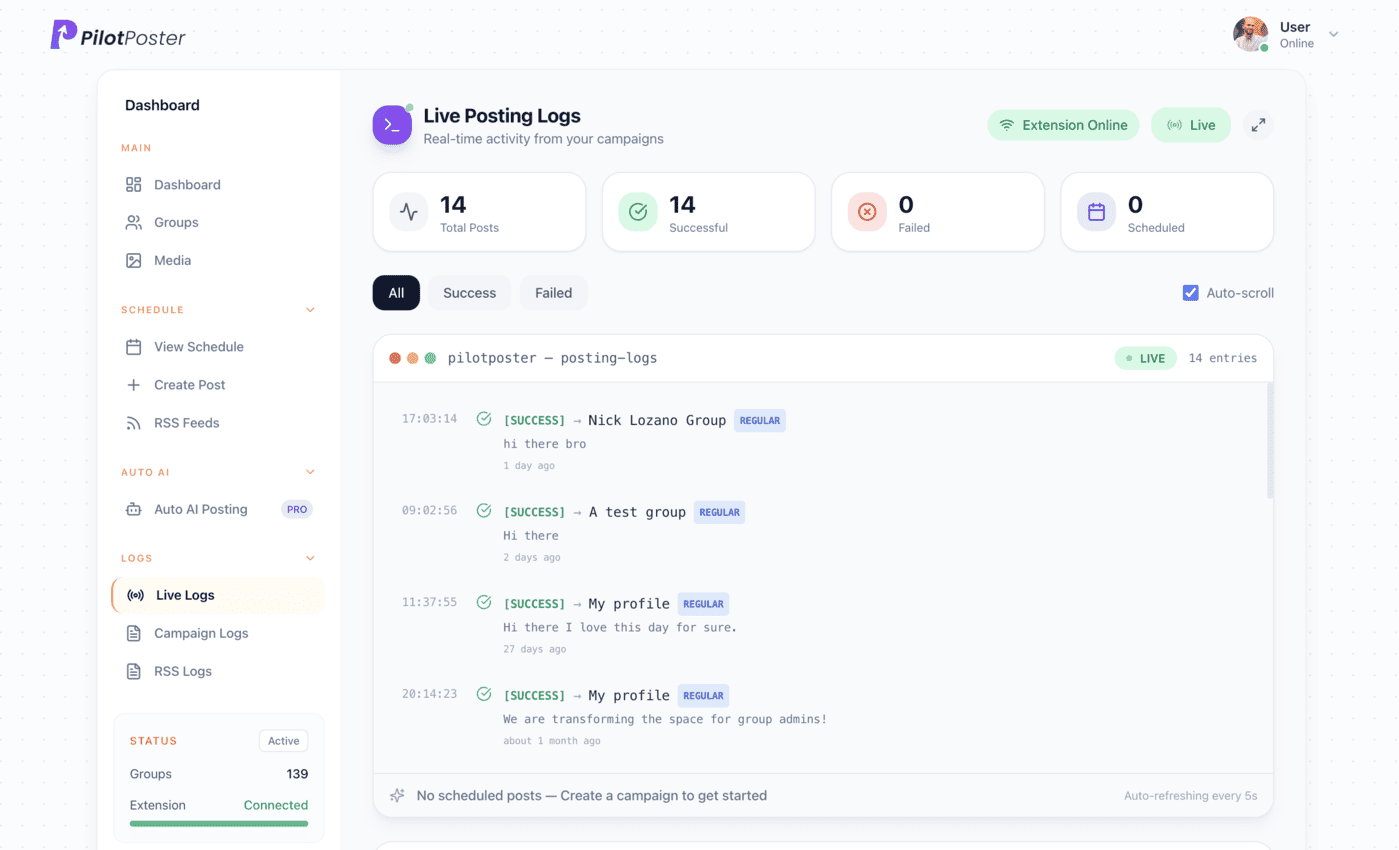
Does my computer need to be on for RSS posts?
Feed posts publish through Chrome on your computer during your posting window; anything new that arrives while it’s off goes out as soon as you’re back online. Plan and schedule from any device, including your phone. Read how PilotPoster protects your account for more.
“PilotPoster makes it easy for me to reach a large number of people easily and effectively from time to time. The pricing is unbelievable.”

Buck Goddard
Marketing Manager, Crown Books
What sources can I connect?
Any standard RSS or Atom feed, which most blogs, WordPress sites and website builders provide, plus a Facebook Page. New items are shared to the groups you chose, alongside your regular campaigns.
How quickly does new content post to my groups?
New items are picked up automatically and shared on the schedule and pace you choose, so each share looks exactly like you posting it yourself.
Can I still control the wording of each share?
Yes. You can add intro text in front of every share and use spintax, so each group sees a slightly different version instead of an identical link drop. That earns more clicks than a bare link.
Can I post my Facebook Page posts into groups automatically?
Yes. Connect a Facebook Page as a source and its new posts are shared to the groups you select. It is ideal when your customers spend more time in local groups than on your Page.
Does RSS autoposting work in groups I don’t admin?
Yes. PilotPoster posts to any group you have joined as a member, not only the ones you run, and your logs show where every share landed.
Are RSS and Page autoposting included in PilotPoster?
Yes, in PilotPoster Pro: $47 a month (or $390 a year). Start with a 1-day trial for $0. Every posting and reporting feature is included.




4.5 on the Chrome Web Store
Let your content distribute itself
Connect a feed once and reach every group every time you publish, on autopilot.