
Sometimes, but with two big catches. You can post in a Facebook group as your business Page only by switching into the Page from your profile and only if that group's admins allow Pages to participate, which many do not. No third-party or automation tool can post to groups as a Page, because Meta shut off the Groups API in 2024. And even where it is allowed, posting as your Page usually gets less reach and less trust than posting as a real person, so for most businesses the right answer is to post in groups from a profile, keep the Page for your brand home and ads, and run your own group if you want a community you control.
It is one of the most common questions from anyone marketing a business on Facebook: I have a Page, I found a great group full of my ideal customers, so can I just post in there as my Page? The short version is that Facebook makes this harder than you would expect, and even when it lets you, it is often the wrong move. Here is the straight answer for 2026, what Meta actually changed, and what to do instead.
The Direct Answer #
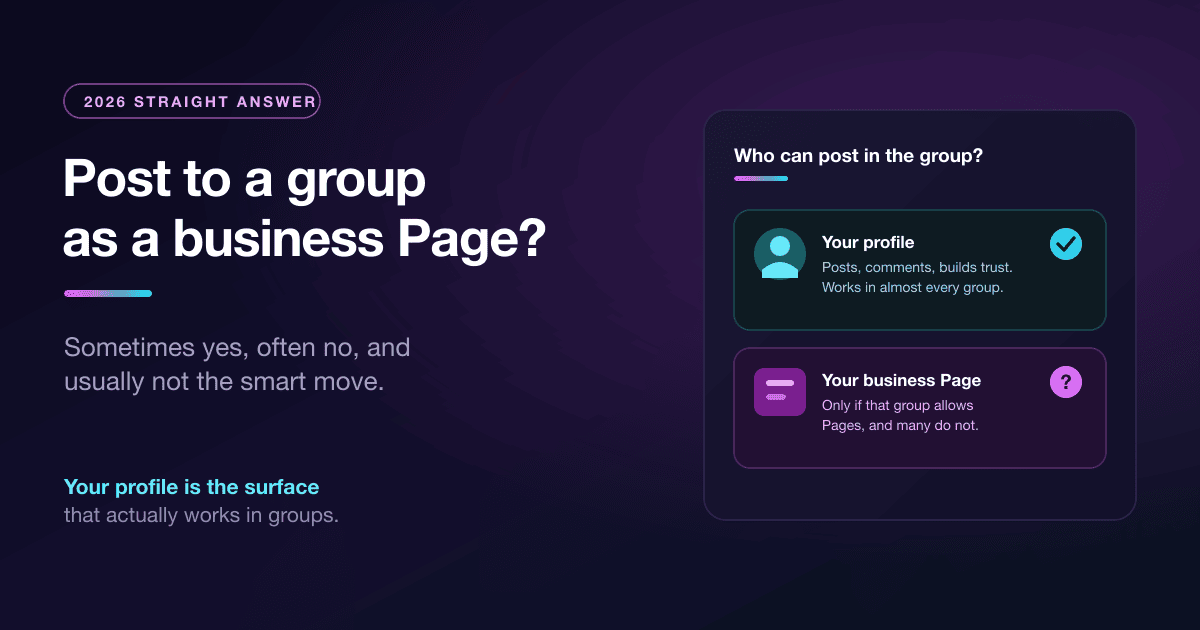
Yes, a Page can post in a group, but only through Facebook's native "act as your Page" feature and only where the group permits it. You switch into your Page from your profile, go to the group, and any post or comment shows up as coming from the Page instead of you. The catch is that group admins control whether Pages can join and participate at all, and a large share of groups turn that off, because unchecked Pages are how groups fill up with ads. If a group does not allow Pages, the option simply is not there for you.
There is also a hard limit that trips up a lot of businesses: you cannot do this with any scheduling tool, bot, or API. So the practical answer is layered: natively and manually, sometimes; through automation, never; and even when you can, usually you should not.
If a service claims it will auto-post to Facebook groups as your Page, be skeptical. Meta removed the group publishing API, so there is no compliant automated path to post in groups as a Page. The only real options are posting natively by hand, or posting through your own logged-in profile session.
What Meta Actually Changed #
Confusion here is fair, because this has moved around a lot. Two separate things matter, and people mix them up.
The first is the API. In early 2024 Meta announced and then removed the Groups API, including the publish_to_groups permission, with Graph API v19. That is why classic schedulers like Buffer, Hootsuite, and the rest quietly dropped Facebook group support that year: the pipe they used to publish into groups was sealed off, for profiles and Pages alike. No cloud tool has had programmatic group access since, and none is expected to get it back.
The second is the native "act as your Page" feature, which still exists. Inside Facebook you can switch into a Page you manage and interact as that Page, and if a group allows Pages, you can post there as the Page by hand. This never went away. What changed is that it is entirely manual and entirely at the mercy of each group's settings.
So the timeline in one line: automated group posting as a Page is gone for good, while manual, permission-based Page posting in groups still works where admins allow it.
How to Post as Your Page, Where It Is Allowed #
If you have found a group that permits Pages and you still want to post as your brand, here is the actual sequence.
- Switch into your Page. From your profile, open your list of profiles and select the Page you manage. Facebook now treats your actions as coming from that Page.
- Go to the group and check access. If the group allows Pages, you will be able to join or post. If you do not see the option, the admins have disabled Page participation and there is no workaround.
- Post or comment normally. Anything you publish appears under the Page's name and links to the Page, which is the whole point if brand recognition is your goal.
- Switch back. Return to your profile afterward so you are not accidentally reacting to everything as the Page.
That is the entire mechanism. It is fine for the occasional branded post in a friendly group. It does not scale, and it is usually not your best-performing option, which brings us to the real point.
Why Posting as a Person Beats Posting as a Brand in Groups #
Even in groups that roll out the welcome mat for Pages, brands tend to underperform there, for reasons baked into how groups work.
Trust. Groups are social spaces, and people join them to talk to other people, not to be marketed to. A comment from "Dana who runs the local bakery" reads as a neighbor chiming in. The same comment from "Dana's Bakery, Official Page" reads as an ad, and members treat it accordingly. In a room built on peer trust, a logo starts every conversation on the back foot.
Reach. Facebook's group and feed ranking leans toward personal, native interaction. Page activity in groups is often shown to fewer people and invites more scroll-past, the same dynamic that makes Page organic reach so thin elsewhere. The profile that a human is clearly behind simply travels further inside a community.
Culture. Most group rules, written or not, expect members to show up as themselves. Admins who tolerate a Page still watch it more closely, and one whiff of pure promotion gets it removed. A real person who contributes first and pitches rarely fits the culture and lasts far longer.
Put together, this is why the businesses that win in groups almost never post as their Page. They post as people.
The Playbook Businesses Actually Use #
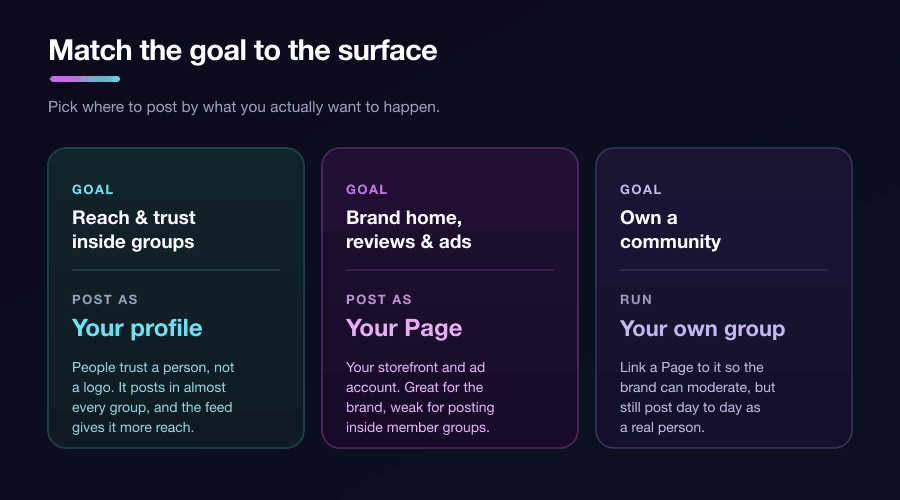
Here is how to get your business in front of group members without fighting the platform. Match the surface to the goal instead of forcing everything through the Page.
| Your goal | Post as | Why |
|---|---|---|
| Get seen and build trust inside member groups | A real profile | People trust people; profiles get more reach and fit group culture. |
| Publish brand news, offers, and collect reviews | Your Page | The Page is your storefront and the home base customers expect. |
| Run paid ads and retargeting | Your Page | Ads require a Page; this is what the Page is genuinely best at. |
| Own and moderate a community | Your own group | You can link a Page to a group you own so the brand can moderate. |
In practice that means a few concrete moves. Use a real profile as the human face of the brand, whether that is the founder or a named team member, and have that person contribute in the groups where your customers gather. Lean on employee advocacy: several real people from your team, posting as themselves, will always out-reach one Page. And if community is the goal, start your own group and connect your Page to it, which is the one setup where a Page and a group genuinely work together, because there you make the rules.
Posting as a person still means playing by group reach rules. Keep the link out of the post body and drop it in the first comment instead, so your post keeps its native reach. The full method is in our guide to putting Facebook links in the first comment.
Since the winning move is posting to groups as a person, that is exactly the surface PilotPoster is built around. It is a web app plus Chrome extension that posts to your joined groups through your own logged-in browser session, as you, which is the one path Meta still supports. You can schedule posts across many groups and vary the wording per group so you are not pasting the same thing everywhere. See how in scheduling posts to joined Facebook groups.
Frequently Asked Questions #
Why can't my Page post in a Facebook group? #
Almost always because that group's admins have disabled Page participation. Group settings control whether Pages can join or post, and many groups turn it off to keep out ads. If you do not see the option after switching into your Page, the group does not allow Pages and there is no workaround. Separately, no automation tool can post to groups as a Page since Meta removed the Groups API in 2024.
Can a Facebook Page join a group? #
Only if the group allows it. You join by switching into your Page from your profile and then requesting to join, but the admins decide whether Pages are permitted at all. Where they are not, a Page cannot join or participate, and you would need to take part as a personal profile instead.
How do businesses post in Facebook groups? #
The effective approach is to post as a real person rather than as the Page: the founder or a named team member contributes in the groups where customers gather, since profiles earn more trust and reach than brands do. Businesses reserve the Page for brand updates, reviews, and ads, and if they want a community they own, they start their own group and link the Page to it.
Is posting as a Page or a profile better in Facebook groups? #
A profile, in almost every case. Groups are built on peer trust, so a comment from a real person outperforms the same message from a Page, which reads as an ad and typically gets less reach. Use the Page for your brand's home and advertising, and use a profile for actually participating inside groups.
- A Page can post in a group only by switching into the Page natively, and only where the group's admins allow Pages.
- No tool, bot, or API can post to groups as a Page; Meta removed the Groups API in 2024.
- Two separate things changed: automated group posting is gone, while manual "act as your Page" still works where permitted.
- Even when allowed, posting as a Page usually loses on trust, reach, and group culture.
- The winning approach is to post in groups as a real person and keep the Page for brand news, reviews, and ads.
- For community you control, start your own group and link your Page to it.
- Posting through your own profile session is the one scalable path Meta still supports.
Related Reading #
- Facebook Groups vs Pages: Which Gets Better Results for Business?
- Schedule Posts to Joined Facebook Groups? Yes, Here's How
- Facebook Links in the First Comment: Why It Works and How to Do It Right
- How to Post to Multiple Facebook Groups at Once: 2026 Guide
- How to Promote Your Business in Facebook Groups Without Getting Banned


