Feature · Account-safe posting
Account-safe posting from your own browser
Account-safe posting means every PilotPoster post goes out organically from your own browser, exactly like a post you made yourself. Built-in account protection keeps the pace human, gives each group a unique version and lets you set the limits, so you reach every group you need while your account stays in good standing.
4.5 on the Chrome Web Store · Featured 1-day trial for $0 Cancel anytime
Does PilotPoster use the Facebook API or store my password?
No to both. PilotPoster publishes organically, the same way you post by hand, and it never asks for or stores your Facebook password. That organic approach is exactly why it reaches every group you have joined. See how it all fits together on our page about auto posting in Facebook groups safely.
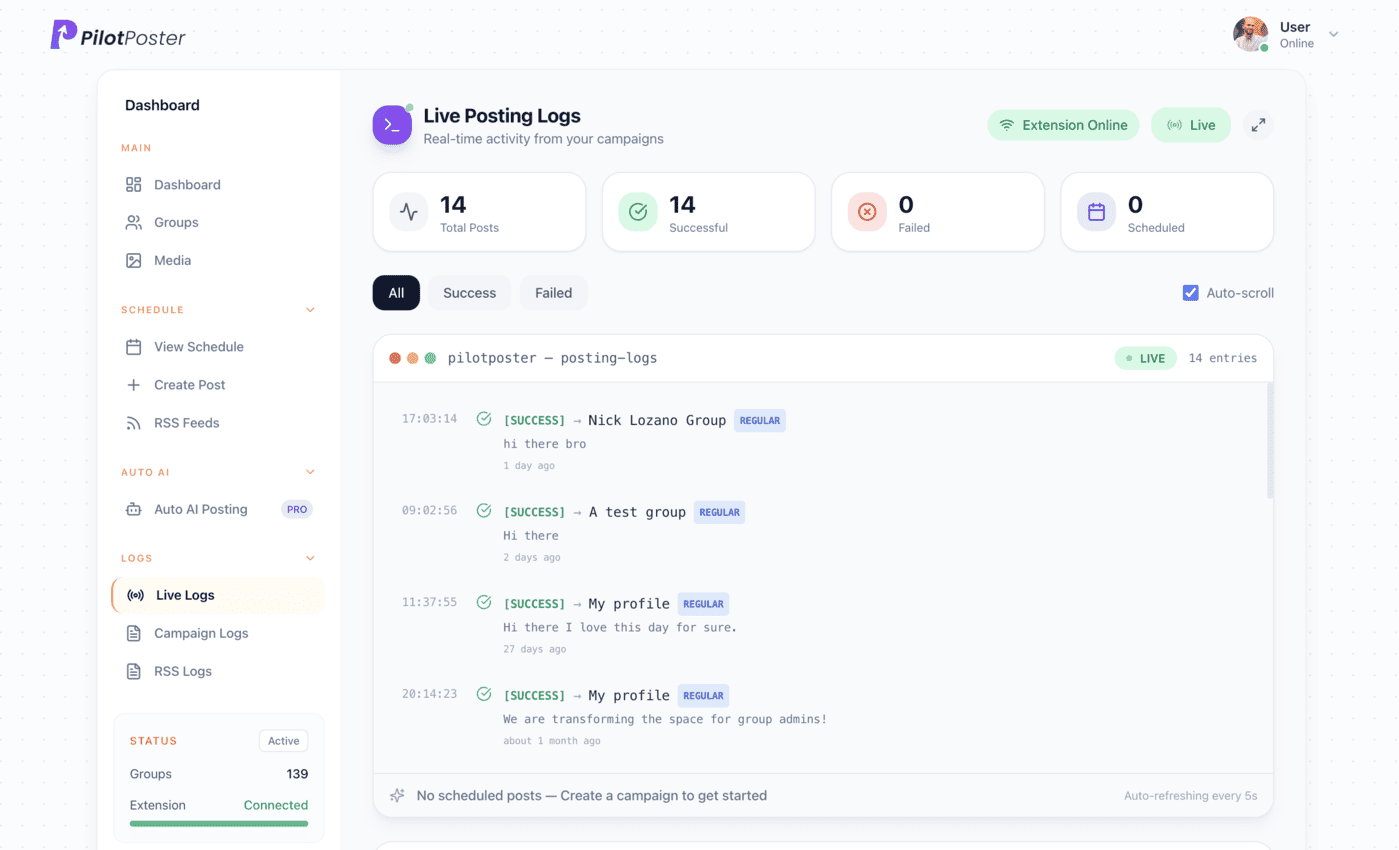
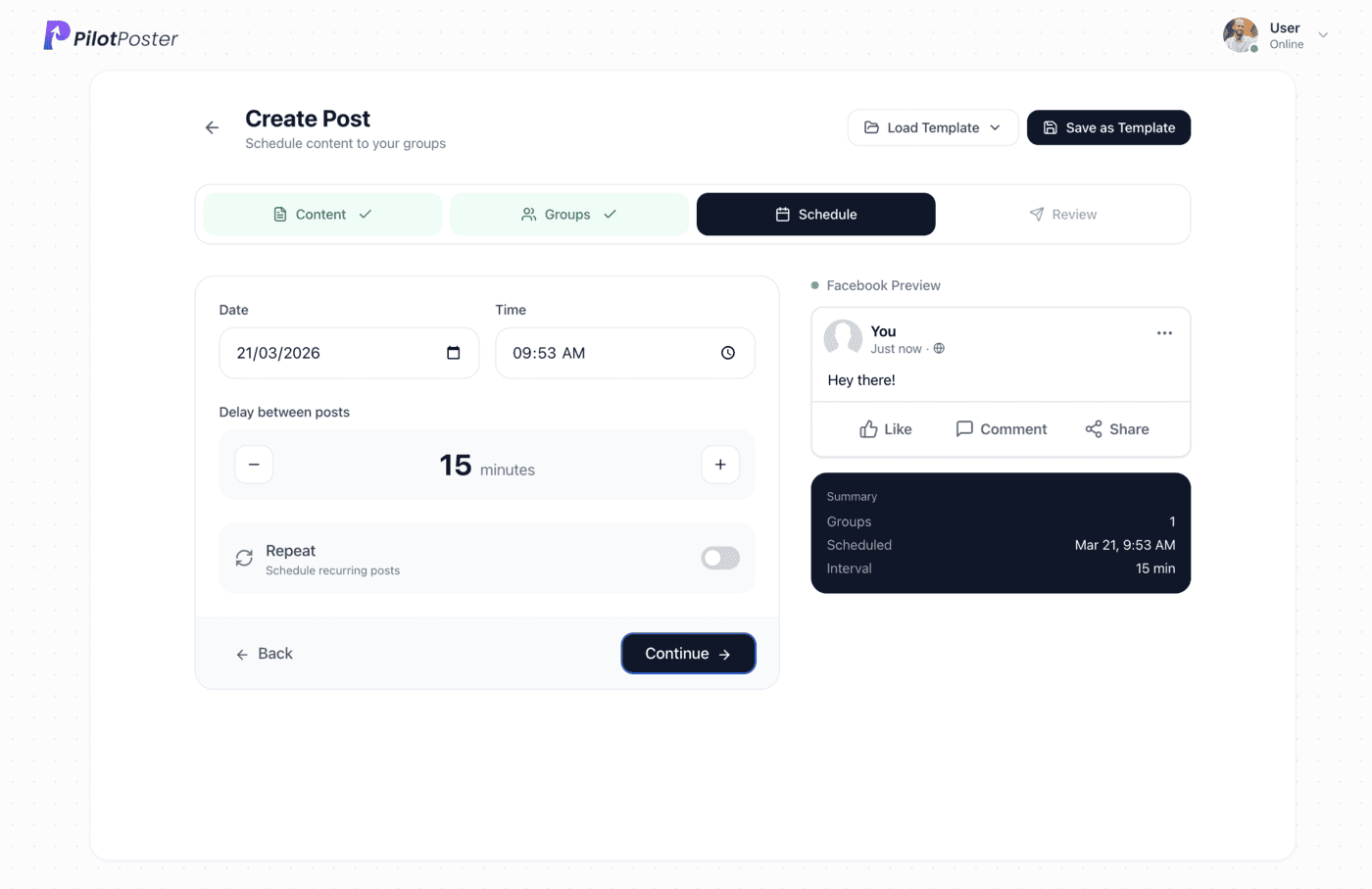
How does PilotPoster keep your account protected?
Account protection is built into every campaign, so you never have to think about it. PilotPoster posts at a human pace, gives each group its own version of your post, respects the posting limits you choose and pauses automatically if a group stops accepting posts. You get the reach of posting to dozens of groups with the calm of knowing your account is looked after.
Why does posting from your own browser matter?
Meta removed the Groups API on April 22, 2024, so most social media schedulers can no longer publish to groups. PilotPoster was built for organic posting from day one. Your posts go out from the account, device and location you already use, so to Facebook and to group members they look exactly like posts you made yourself. That is why PilotPoster reaches every group you have joined, not only the ones you run.
When to use it
Linda Ortiz runs Sunny Paws Dog Walking in Mesa and posts in about two dozen neighborhood and pet groups. She used to spend her lunch break pasting the same post into each one. Now she schedules it for Monday morning, picks a relaxed posting pace and gets back to walking dogs. Her posts reach every group over the morning, each one worded a little differently, and she gets her lunch break back along with a steady stream of booking messages.
What you control
- A natural posting pace that fits your schedule
- Which groups each campaign reaches
- When posting starts, and whether it repeats
- Posting limits that Safety Autopilot holds for you
- A unique version of the post for each group
- Pause or resume any campaign in one click
How does account protection help your business grow?
Consistency is what wins customers in Facebook groups. The businesses that get the most calls are the ones that show up every week, not the ones that post in a burst and disappear. Account protection lets you post to more groups, more often, with confidence. Safety Autopilot holds the limits you set and pauses any group that stops accepting posts, so your campaigns keep running smoothly while you focus on the customers they bring in.
Habits that keep a group marketing account in good standing
PilotPoster handles the pacing. These simple habits, used by owners who post in groups week after week, do the rest:
- Join a group and comment on a few posts before your first offer
- Post business offers on the days a group sets aside for them
- Lead with something useful, like a tip or a seasonal reminder
- Keep your link in the first comment instead of the post
- Add new groups to your lists a few at a time
- Reply to comments on your posts so members get to know you
“Pilot Poster helps me post to joined Facebook groups, all from one simple dashboard. That at this price is perfect for me.”

Andrew Richardson
Highland Appliances
Do you store my Facebook password?
No. PilotPoster never asks for your Facebook password and never stores it. You stay signed in to Facebook the way you always do, and you can pause PilotPoster anytime from your dashboard.
Does PilotPoster use the Facebook API?
No. PilotPoster publishes organically, exactly like posts you make yourself. When Meta removed the Groups API in April 2024, PilotPoster was never affected.
Will Facebook ban me for posting in many groups?
PilotPoster is built to keep your account in good standing. Follow the recommended settings and each group’s rules, and your posting looks natural.
What is Facebook jail and how long does it last?
Facebook jail is the common name for a temporary block on posting, commenting or joining groups after Facebook flags activity as unusual. PilotPoster keeps your posting natural so you stay clear of it.
Does my browser need to stay open while posting?
Posts publish through Chrome on your computer during your posting window; anything due while it’s off goes out as soon as you’re back online.
Which computers does PilotPoster work on?
Any computer with Chrome. Plan and schedule from any device, including your phone, and posts publish organically through Chrome on your computer.




4.5 on the Chrome Web Store
Grow your reach with built-in account protection
Organic, human-paced posting to every group you have joined.