Solutions · Salons & Beauty Pros
Facebook group posting for salons & beauty pros
Almost every neighborhood group has the same post every week: "Can anyone recommend a good stylist near me?" The salons that get tagged in those threads are the ones people have already seen. PilotPoster keeps your fresh color, cuts, nails and lash work showing up in every local group you have joined, with a different photo in each, so your chair stays full and your name comes up first.
4.5 on the Chrome Web Store · Featured 1-day trial for $0 Cancel anytime
How do salons and beauty pros use PilotPoster?
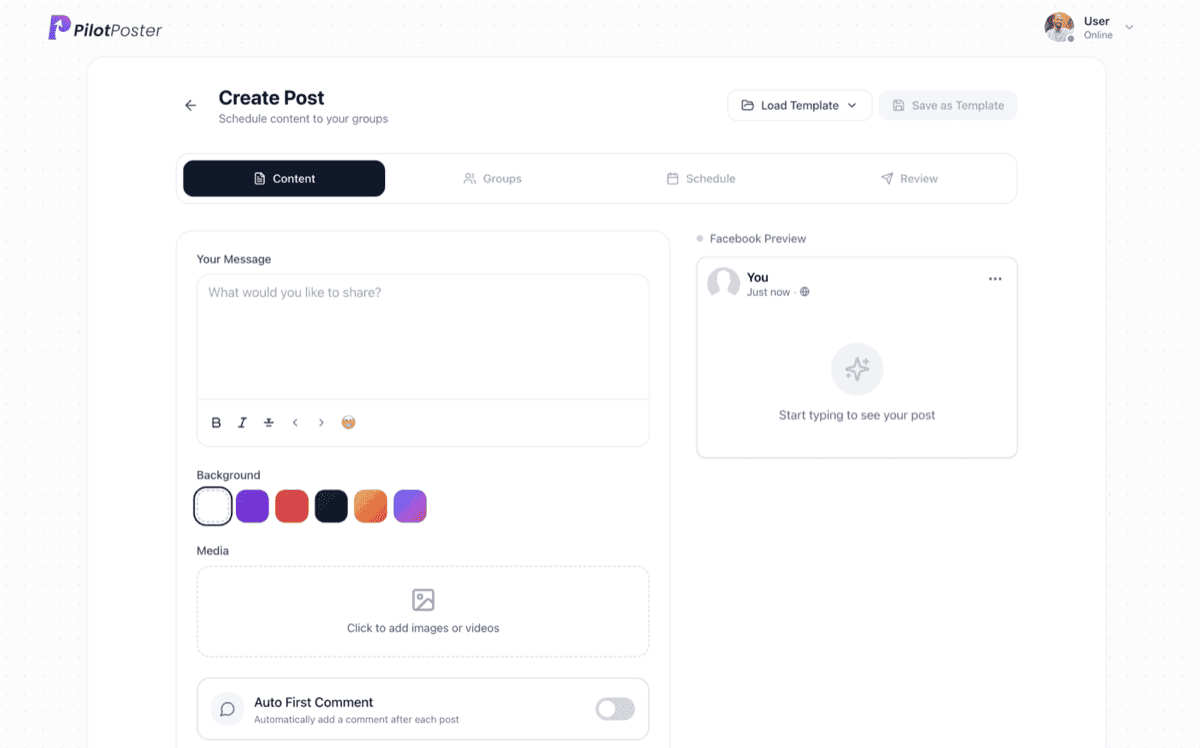
Salons, stylists and beauty pros use PilotPoster to schedule before-and-after photos, open appointment slots and seasonal offers across the neighborhood, parent and local recommendation groups they have joined. Media shuffle leads each group with a different photo, and the booking link sits in the first comment.
The local groups where people ask for a stylist
Beauty clients choose someone close to home, so think in miles, not followers. Join the active groups for your town and the neighborhoods around you, plus the life-stage groups your clients belong to.
- "{Town} moms", neighborhood and "{city} recommendations" groups
- Local buy-sell-trade groups that allow service posts on set days
- Wedding and bridal groups for your area, where whole bridal parties book together
- School parent groups ahead of prom and homecoming season
- Groups for nearby towns just outside your area, to widen your radius
Fill the slow days, book the busy seasons
A salon calendar has predictable gaps and predictable rushes. Post to fill the first and get ahead of the second:
- Weekly: an "open chair" post for your slowest days, scheduled the night before
- Twice a week: a before-and-after with the service named (balayage, silk press, gel-X, lash lift)
- Monthly: a new stylist intro or a "meet the team" post
- Seasonal: prom, wedding season and holiday party booking reminders, weeks ahead
- Recurring: a simple care tip, like "how to make your color last longer", on a loop
Posts that get you tagged in "who does your hair?" threads
Lead with the result, name the service so people know what to ask for, and give one easy reason to message now:
- "Fresh lived-in blonde for a client heading into fall. Two openings Thursday afternoon"
- "Getting married next year? Bridal trial dates are filling up, here is how I schedule them"
- "Three things to tell your stylist so you get the cut you actually want"
- "New in {town}: we just added lash lifts. Intro offer for this group in the first comment"
A different photo for every group
Your work sells itself, so photos lead every post. Attach several shots of a look and PilotPoster's media shuffle opens each group with a different one, while spintax varies the caption, so neighbors who share several groups see something new each time. Always get the client's okay before posting their photo. Most are happy to show off a great result.
Schedule from the chair, publish from Chrome
You can schedule from your phone between clients, and posts publish through Chrome on your computer at a natural pace with built-in account protection. Anything due while the computer is off goes out as soon as it is back online. Install the Local Service Business Kit for ready-made before-and-after, availability and review request templates, and post as your salon's business Page where groups allow it.
A sample Facebook group post for salons & beauty pros
A salon post that leads with the result, names the service so people know what to ask for, and turns open slots into a simple reason to message now. Copy it, change the details to yours, and schedule it to your groups with a different version for each one.
From grown-out highlights to a soft, lived-in blonde that will grow out beautifully through winter. My client wanted low maintenance, so we went with balayage and a gloss. I have two openings this Thursday afternoon and one Saturday morning at Willow Hair Studio on College Avenue. Comment or message me if you want one of them. The booking link is in the first comment.
Sample post. Names and places are examples.
Can I post in neighborhood groups that limit business posts?
Follow each group's rules. Many neighborhood groups allow business posts on a set day, or welcome helpful content like care tips and before-and-afters. PilotPoster lets you schedule each group list on its own day, so you follow every group's promotion schedule automatically and stay welcome.
Can each group see a different photo?
Yes. Attach up to seven photos or videos and turn on media shuffle, and each group gets a different lead image. With spintax or AI rewrite varying the caption too, your posts look fresh even to people who belong to several of the same local groups.
Do I need permission to post client photos?
Yes, always ask first. A quick "mind if I share this?" at the end of the appointment works for most clients, and many love seeing their look featured. Keep a simple note of who said yes, and crop out faces when a client prefers to stay anonymous.
Can I post open appointment slots automatically?
Yes. Set a recurring campaign for your slowest days, for example every Tuesday evening for Wednesday openings, and update the details each week in a minute. The booking link goes in the first comment, so people can grab a slot in one tap.
Does this work for booth renters and solo stylists?
Yes. PilotPoster runs from your own Facebook profile and Chrome browser, so a solo stylist, booth renter, nail tech or lash artist can post to their own local groups exactly like a full salon. Post as your profile or as your business Page where groups allow it.
Keep exploring
Other solutions
- Real Estate Agents Put listings, open houses, and market updates in front of every local buyer and seller group.
- Coaches & Consultants Show up daily in the communities where your ideal clients already hang out, without writing a word.
- Ecommerce Sellers Promote products to buy-sell and niche groups on a schedule that never misses a drop.





4.5 on the Chrome Web Store
Put your Facebook group posting on autopilot
Keep your business in front of every group you’ve joined, every week, without the copy and paste.