Autopost · YouTube
Auto post new YouTube videos to Facebook groups
Every YouTube channel has a public feed of its latest uploads. Connect yours to PilotPoster and each new video is shared to the Facebook groups built around your topic, where people are already asking the questions your videos answer.
4.5 on the Chrome Web Store · Featured 1-day trial for $0 Cancel anytime
How do I auto post my YouTube videos to Facebook groups?
Use your channel feed, https://www.youtube.com/feeds/videos.xml?channel_id= followed by your channel ID, as the feed URL in a new PilotPoster RSS campaign. Each new upload is then shared to the Facebook groups you picked, one group at a time.
Who shares YouTube videos to Facebook groups
Creators in hands-on niches get the most from RSS autoposting: woodworkers, anglers, home bakers, car detailers, gardeners and fitness coaches. Their viewers gather in big Facebook groups about the same hobby, and a fresh video in the right group can bring in new subscribers for days. Local businesses use it too: a realtor posting home tours to neighborhood groups, or a church sharing Sunday’s message to its community group. Our guide to promoting a YouTube channel on Facebook covers which groups to pick and how to frame each video.
Use a playlist feed to choose what goes out
If you upload Shorts, livestreams and full videos on one channel, not all of them belong in every group. A playlist feed solves it: make a playlist like "For Facebook groups", add only the videos you want shared, and connect videos.xml?playlist_id= instead of the channel feed. Set the playlist so new videos are added to the top, then confirm in your browser that your latest addition is the first entry, since that is the one PilotPoster treats as new.
How often to share
A weekly upload schedule fits groups well, and so does a few times a week. PilotPoster shares the newest video each time it checks, so if you publish two videos within minutes, the second one is the one shared. Space uploads a few hours apart. To keep older hits working, schedule them as recurring posts with a short story about the video, an AI rewrite for each group, and the YouTube link in the first comment.
How to autopost YouTube to Facebook groups
Four steps, about five minutes. Connect the feed once, and your new videos share themselves from then on.
-
Step 1: Find your channel ID
On YouTube, open Settings, then Advanced settings. Your channel ID starts with UC. You need to be signed in as the channel’s owner to see it (YouTube Help).
-
Step 2: Build the feed URL
Add the ID to the end of
https://www.youtube.com/feeds/videos.xml?channel_id=. To share one playlist instead of every upload, usehttps://www.youtube.com/feeds/videos.xml?playlist_id=plus the playlist ID from the playlist’s URL. Open it in a browser and check that your newest video is the first entry. -
Step 3: Paste the feed into a new RSS campaign
In the PilotPoster dashboard, open RSS Campaigns and click New RSS Feed. Paste the feed URL, pick a saved group list and set the Time Between Posts (anywhere from 5 minutes to 6 hours). Leave Include Description off: the video title and link are all a group needs, and Facebook shows the video thumbnail in the preview. Then start the campaign.
-
Step 4: Publish, then check the RSS Logs
PilotPoster checks the feed every 5 minutes. When a new item shows up, it goes to your groups one at a time from your own Chrome browser, and each share lands in RSS Logs with the group and the result. Upload your next video and watch it reach your groups.
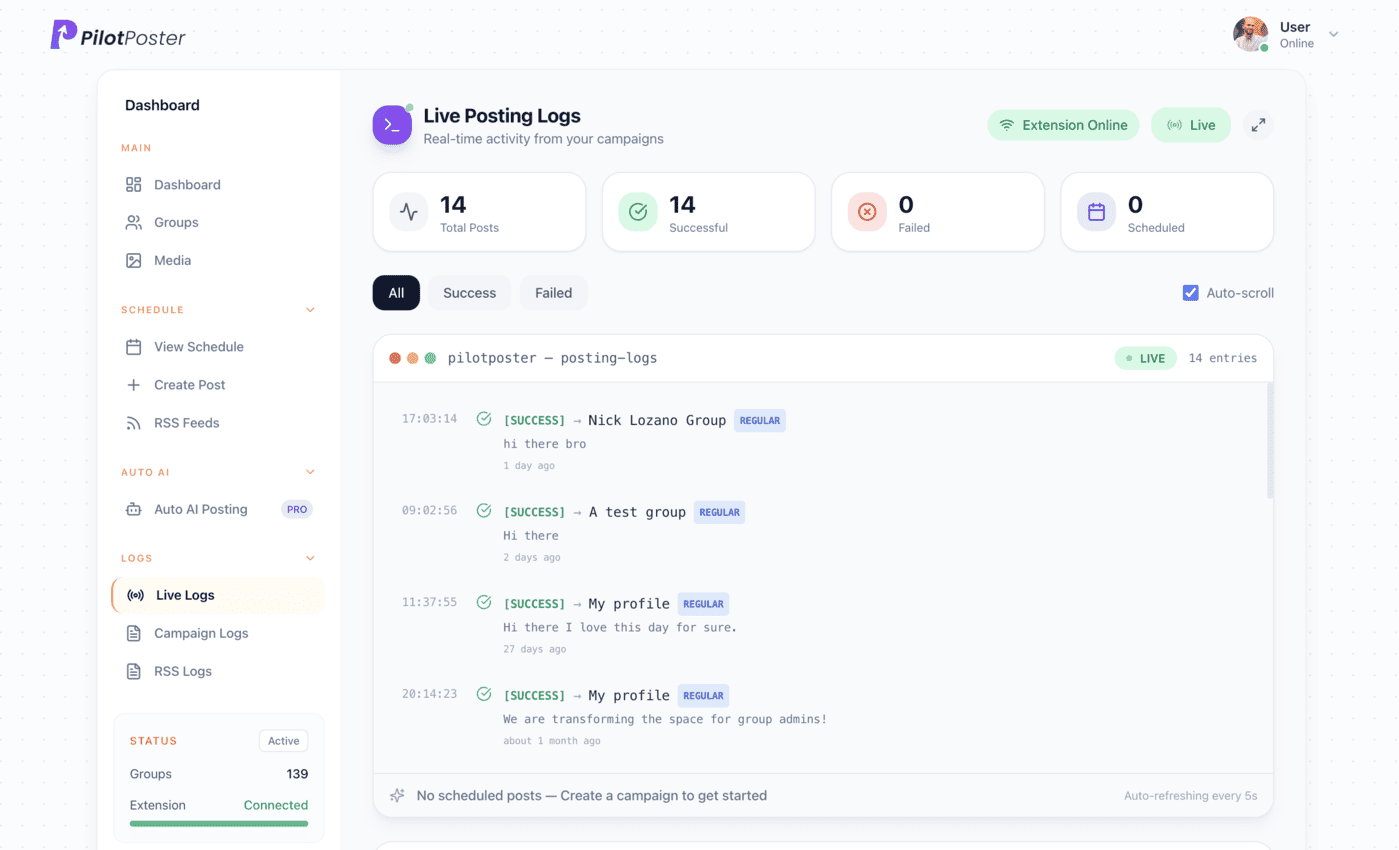
Live posting logs: every post, the group it went to, and when.
Does YouTube still have an RSS feed for channels?
Yes. Every channel has a public feed at youtube.com/feeds/videos.xml?channel_id= followed by the channel ID, listing its latest uploads. Playlists have one too, using playlist_id instead. The feed shows your latest uploads, newest first. You can paste either into a PilotPoster RSS campaign, no YouTube API key needed.
Where do I find my YouTube channel ID?
Sign in to YouTube, open Settings, then Advanced settings, and copy the channel ID that starts with UC. You must be signed in as the channel’s primary owner. If you are sharing someone else’s channel with permission, ask them for the ID.
Will my Shorts get shared too?
The channel feed covers the channel’s public uploads, so Shorts can appear there alongside full videos. If you only want certain videos in your groups, use a playlist feed instead and add just those videos to the playlist. Then only what you choose gets shared.
What does the post look like in the group?
It is the video title followed by the YouTube link, and Facebook usually turns the link into a preview with the thumbnail that members can tap to watch. Every share is recorded in your RSS Logs, so you can see exactly which groups received each video.
Keep exploring
Related pages
- Promote your YouTube channel on Facebook Which groups to pick and how to frame each video.
- Increase Facebook engagement Get more comments on every share.
- PilotPoster for coaches Grow an audience in niche groups.
- Autopost Substack to groups Share each new issue with its subtitle to the groups your readers live in.
- Autopost Medium to groups Share your new stories, or a whole publication, to professional groups.





4.5 on the Chrome Web Store
Put your new videos in front of every group
Connect it once, and everything new you publish reaches the groups you picked, on autopilot.