For local businesses, the most valuable Facebook groups aren't the ones you'd expect. Broad city-wide Facebook groups have too much noise. The highest-value groups are hyper-local neighborhood groups with 500 to 10,000 members where locals actually ask each other for recommendations. Being the business that neighbors recommend and recognize in those specific groups is worth more than any paid ad targeting the same area.
The general advice on Facebook group marketing (join niche groups, post valuable content, build credibility) applies to local businesses, but the landscape is different in two important ways.
First, the groups that matter are different. For a local business, the highest-value groups are geography-based: neighborhood groups, city community groups, local parent groups, local business networks. These groups exist specifically for the local community to share recommendations, ask for help, and discuss local topics. Your business belongs in these conversations in a way that wouldn't make sense in a niche interest group.
Second, the standard for promotion is different. In a local neighborhood group, a restaurant posting about a weekend special is expected and welcome. The same post in a general foodie interest group would look like spam. Context matters, and local group members generally want to know what local businesses are offering, especially if the business has established itself as part of the community.
How Do You Find Local Facebook Groups for Your Business? #
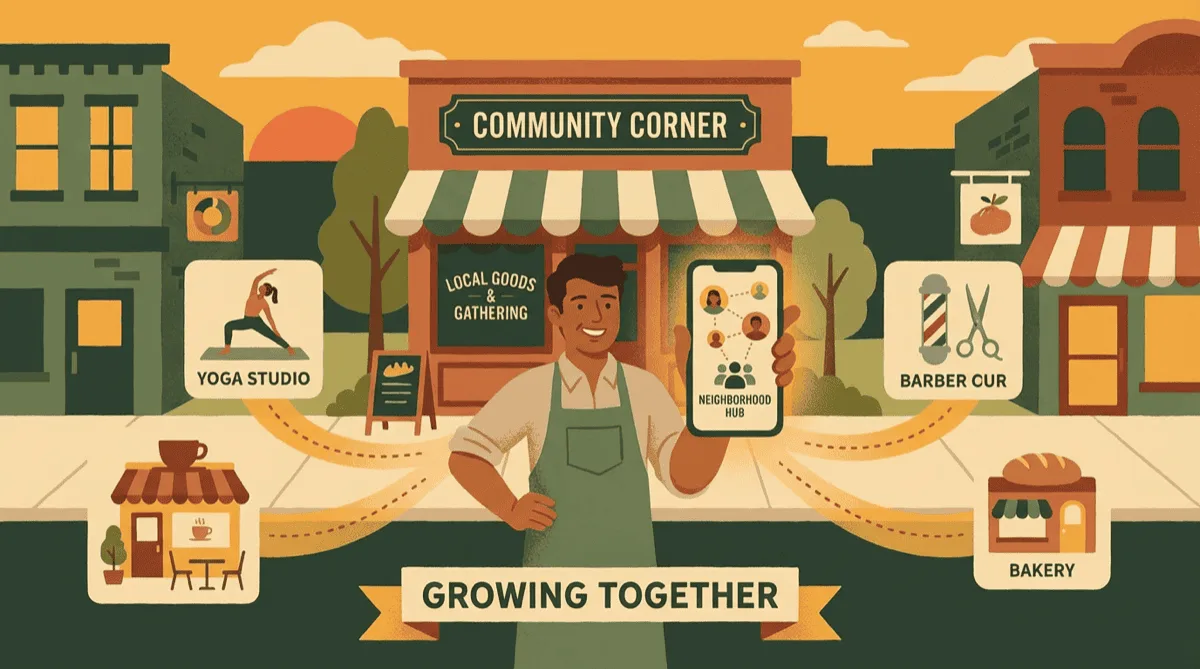
Search Facebook for your city, your neighborhood, and local parent and business groups, then join the active ones and watch for a week or two before you post. Smaller neighborhood groups where people ask each other for recommendations usually beat big city-wide groups. These searches find most of them:
- Search "[Your City] community" and variations. Look for active groups with regular posting, not abandoned shells.
- Search "[Your neighborhood]" or "[Your area] residents". Hyper-local neighborhood groups are usually more engaged than city-wide groups because the content is highly relevant to a smaller audience.
- Search for "[City] recommendations" or "[City] buy sell trade". Buy/sell groups often have active recommendation threads and are appropriate for direct promotional content.
- Search "[City] parents", "[City] moms", "[City] families". These groups are highly active and excellent for businesses that serve families: restaurants with kids menus, tutoring services, children's activity businesses, family photographers.
- Search "[City] local business" or "[City] small business support". These groups exist specifically to support local commerce and promotional content is welcome.
Join the groups as your personal Facebook profile and spend a week or two observing before posting. Understand the tone, what types of posts get engagement, and what the group's implicit rules about promotion are (separate from the written rules).
In neighborhood and community groups, people regularly post asking for recommendations. "Can anyone recommend a good plumber in [area]?" "Looking for a family-friendly restaurant near [street]. Any suggestions?" "My dog needs grooming, anyone have a good groomer they trust?" These posts are the highest-value moments in local group marketing. Having your business name mentioned by a community member in these threads is worth more than any content you could post yourself. The way to earn those organic mentions is the same as everywhere else: be present, be helpful, and deliver quality that makes members want to recommend you.
What Should Local Businesses Post in Facebook Groups? #
Post what neighbors find useful: real photos of your work, limited openings, seasonal tips, and news about local events you are part of. Keep every post specific to the area. Below is what works for four common business types, and there are fuller setups for restaurants, salons, and home services.
Restaurants and Cafes #
- Weekly specials and limited-time menu items ("This week only: [dish] at [location]")
- Behind-the-scenes of food preparation: this builds trust and appetite simultaneously
- New menu item announcements with real photos (not stock photography)
- Community event tie-ins: "We'll be at [local event] this Saturday serving [items]"
- Local sourcing stories: "Our tomatoes this week came from [local farm]. Farmers market pickup was this morning."
Gyms and Fitness Studios #
- Free class or trial class offers for local residents (with a clear, simple process to claim)
- Member transformation stories (with permission)
- Seasonal fitness tips that are locally relevant ("Outdoor running routes in [neighborhood] for beginners")
- Class schedule changes and new offerings
- Community challenges that involve the local area ("[Studio name]'s Spring Challenge starts next week")
Salons and Spas #
- Before/after photos (with client permission, always)
- Limited-availability appointment slots ("Two slots opened up this Saturday")
- Seasonal promotions tied to local events or weather
- Educational posts about hair care, skin care, or beauty tips relevant to your specialty
- Staff introductions (builds the personal relationship that's central to salon loyalty)
Contractors and Home Services #
- Before/after project photos in the local area ("Just finished this deck in [neighborhood]")
- Seasonal maintenance tips ("Time to [specific seasonal task] before the weather changes")
- Limited availability announcements ("We have one opening in the next three weeks for [service type] in [area]")
- Warning posts about local issues your trade deals with ("Seeing a lot of [specific problem] in homes built in [era] in this area. Here's what to look for.")
How Do You Get Recommended in Local Facebook Groups? #
Do great work for the people who find you through groups, let happy customers know that local groups are where neighbors find you, and answer recommendation requests in your category quickly. A neighbor naming your business does more than any post you write yourself. Here is how to earn those mentions:
Serve group members exceptionally well: When someone comes in through the group (ask where they heard of you), go slightly above and beyond. These customers are more likely to return to the group and mention you.
Ask directly, but carefully: At the right moment (when a customer is clearly happy), let them know that reviews and word of mouth in local groups help your business more than anything else. Don't ask them to go write a review. Just mention that the community groups are where locals find you. Many will do the rest themselves.
Respond to recommendation requests: When you see someone asking for a recommendation in your category in a local group, you can respond as your business page or ask a satisfied customer in that group to respond. Both are legitimate. What isn't legitimate is creating fake accounts to recommend yourself, which violates group rules and can get you permanently banned from the most valuable groups for your business.
Over-promotional, copy-pasted posts that appear in a local group every single week with identical language and a hard sales message destroy the local reputation you're trying to build. Local group members see each other regularly (sometimes literally in person) and they share opinions on businesses. One member saying "[Business] just posts the same ad every week" is enough to tank your group presence. Post with genuine variety, genuine personality, and genuine value, or don't post at all.
The hard part is catching the request in time. Recommendation threads fill up within an hour or two, and the names mentioned first are usually the ones that get called. If you cannot watch every local group all day, handing off the monitoring of Facebook groups for keywords means you get alerted when someone asks for your category by name, which is the only moment showing up actually counts.
What Seasonal Campaigns Work for Local Businesses? #
Tie your posts to what your town is already doing: fresh starts in January, Valentine's plans, spring home projects, summer hours and events, fall festivals, and holiday gift cards. Our seasonal post templates give you a first draft for each. A starting calendar:
| Time of Year | Local Business Content Angle |
|---|---|
| January | New year offers, membership deals, "fresh start" promotions |
| February | Valentine's packages, date night suggestions (restaurants), gift ideas for local businesses |
| Spring | Seasonal menus, outdoor activity tie-ins, home service demand peaks (contractors) |
| Summer | Summer hours, back-to-school prep (August), community event participation |
| Fall | Seasonal specialties, Halloween community events, cozy atmosphere messaging |
| December | Holiday gift cards, year-end gratitude posts, community giving initiatives |
How Can Local Businesses Use Facebook Events to Drive Foot Traffic? #
Create a Facebook Event for anything people can attend, then share it into the local groups where your customers live. An event gives people a date to commit to, which a regular post can't do. Few local businesses use events well, so yours stand out. For the group post itself, start from our event post templates.
Create events for:
- Special menu nights, tasting events, or product launches
- Free workshops or demonstrations relevant to your business type
- Community fundraiser tie-ins
- Grand openings, anniversaries, and seasonal celebrations
- Popup appearances at farmers markets, fairs, or local events
Once created, share the event into relevant local groups (this six-week Facebook event countdown plan shows what to post each week). Members who RSVP see the event on their calendar, get reminders, and their friends see that they're attending. This social proof mechanism is free and genuinely effective at increasing turnout.
Should Local Businesses Cross-Promote in Facebook Groups? #
Yes, with businesses that serve the same customers without competing with you. A gym and a meal prep delivery service share the same health-conscious locals. A salon and a bridal boutique share the wedding crowd. A contractor and a home decor shop share homeowners who just moved in.
Cross-promotion in local groups can be as simple as mentioning each other in recommendation replies, co-hosting an event, or creating a "local business bundle" offer. When you mention another local business genuinely and they return the favor, both businesses benefit from the credibility of the other's community standing.
A local business active in its city may post in 10 to 30 neighborhood, community, and special-interest groups. Doing that by hand every week adds up fast. PilotPoster keeps it in one place: save your groups as group lists by neighborhood, schedule this week's special once, and let AI Rewrite give each group its own version. The Chrome extension posts from your own logged-in browser with human-paced delays. See how it works for local businesses.
Frequently Asked Questions #
Can a business page post in Facebook groups? #
Yes, if the group lets Pages join. Switch into your Page, join the group as the Page, and post from it. Many neighborhood groups only accept personal profiles, so check the rules first. Posting from your own profile and mentioning your business often reads friendlier in local groups anyway.
Are local Facebook groups good for small business marketing? #
Yes, especially for businesses that serve a specific area. Neighbors use these groups to ask for recommendations, share news, and find services, so a helpful local business gets noticed by exactly the people who can walk in or book. It costs time rather than ad spend.
How do I advertise my business in a local Facebook group without getting removed? #
Read the rules and pinned posts first, since many groups allow promotion only on a set day or in a weekly thread. Lead with something useful, such as a tip, a real photo, or a local event, and keep direct offers to once a week at most. When the rules are unclear, ask an admin.
Should I ask the group admin before promoting my business? #
If the rules don't mention promotion, yes. A short message asking what is allowed shows respect and often gets a clear answer, and some admins offer sponsored posts or business spotlights. Admins in local groups know their members well, so staying on good terms with them pays off.
Can I post the same promotion to all my local groups? #
You can share the same offer, but change the wording for each group. Members often sit in several neighborhood groups, and an identical post everywhere reads like an ad. PilotPoster rewrites each version for you and publishes them from your browser with natural spacing between groups.
- Hyper-local neighborhood groups (500 to 10,000 members) are higher value than large city-wide groups because the audience relevance is tighter
- Organic recommendations from community members outperform anything you post yourself. Earn them by serving group members exceptionally well.
- Different business types need different content: restaurants post food photography, contractors post before/afters, salons post transformations
- Local groups tolerate more direct promotional content than niche interest groups, but repetitive copy-pasted posts will destroy your local reputation
- Facebook Events combined with group sharing is an underused tool for local businesses to drive foot traffic
- Cross-promotion partnerships with complementary local businesses create social proof and shared audience reach
Related Reading #
- Facebook Group Marketing Strategy for Small Business
- How to Promote Your Business in Facebook Groups Without Being Spammy
- How to Get Leads and Clients from Facebook Groups
- How to Find Facebook Groups to Join for Marketing
- The Facebook Group Lead Engine: Turn Groups into Leads and Sales
- Facebook Groups for Real Estate Agents: The Playbook for Local Leads


