Autopost · Blogger
Auto post Blogger to Facebook groups
Every public Blogger blog has a built-in feed at /feeds/posts/default. Connect it to PilotPoster and each new post is shared to the hobby, club and community groups that make up your readership.
4.5 on the Chrome Web Store · Featured 1-day trial for $0 Cancel anytime
How do I auto post my Blogger blog to Facebook groups?
Use yourblog.blogspot.com/feeds/posts/default as the feed URL in a new RSS campaign in PilotPoster. Whenever you publish, the new post is shared to the Facebook groups you selected, one group at a time, from your own browser.
Who shares Blogger posts to Facebook groups
Blogger is home to long-running hobby and community blogs: quilting patterns, model railways, family history, recipes, school and club news, church and charity updates. These readers often gather in Facebook groups about the same interest, and many of them would happily follow a blog they never knew existed. Sharing each new post there is the simplest way to grow a loyal readership, and the RSS autoposting feature does it for every post.
Use labels to send each post to the right groups
Blogger gives every label its own feed. If your blog covers knitting and baking, connect /feeds/posts/default/-/Knitting to your knitting groups and /feeds/posts/default/-/Baking to your baking groups, each in its own campaign with its own saved group list. Labels are case sensitive in the URL, so copy them exactly as they appear on your blog.
How often to post
Hobby groups love regular, genuine content, and a post or two a week keeps you familiar without crowding the group. PilotPoster shares your newest post each time it checks, so publish one post at a time. Between posts, share a recurring tip or question with spintax for a different version in each group, and keep the blog link in the first comment. This content calendar has a month of ideas.
How to autopost Blogger to Facebook groups
Four steps, about five minutes. Connect the feed once, and your new blog posts share themselves from then on.
-
Step 1: Copy your Blogger feed URL
Your feed is
https://yourblog.blogspot.com/feeds/posts/default. For one label only, usehttps://yourblog.blogspot.com/feeds/posts/default/-/Recipes. If your blog uses a custom domain, put that domain in front of /feeds/posts/default. Google explains the format in Blogger Help. -
Step 2: Make sure the blog is public
Feeds don’t work on private blogs. Open the feed URL in a browser window where you are signed out; if your newest post appears at the top, it is ready.
-
Step 3: Paste the feed into a new RSS campaign
In the PilotPoster dashboard, open RSS Campaigns and click New RSS Feed. Paste the feed URL, pick a saved group list and set the Time Between Posts (anywhere from 5 minutes to 6 hours). Leave Include Description off for a tidy title and link, or switch it on if your posts open with a short summary. Then start the campaign.
-
Step 4: Publish, then check the RSS Logs
PilotPoster checks the feed every 5 minutes. When a new item shows up, it goes to your groups one at a time from your own Chrome browser, and each share lands in RSS Logs with the group and the result. Publish your next post and watch it reach your groups.
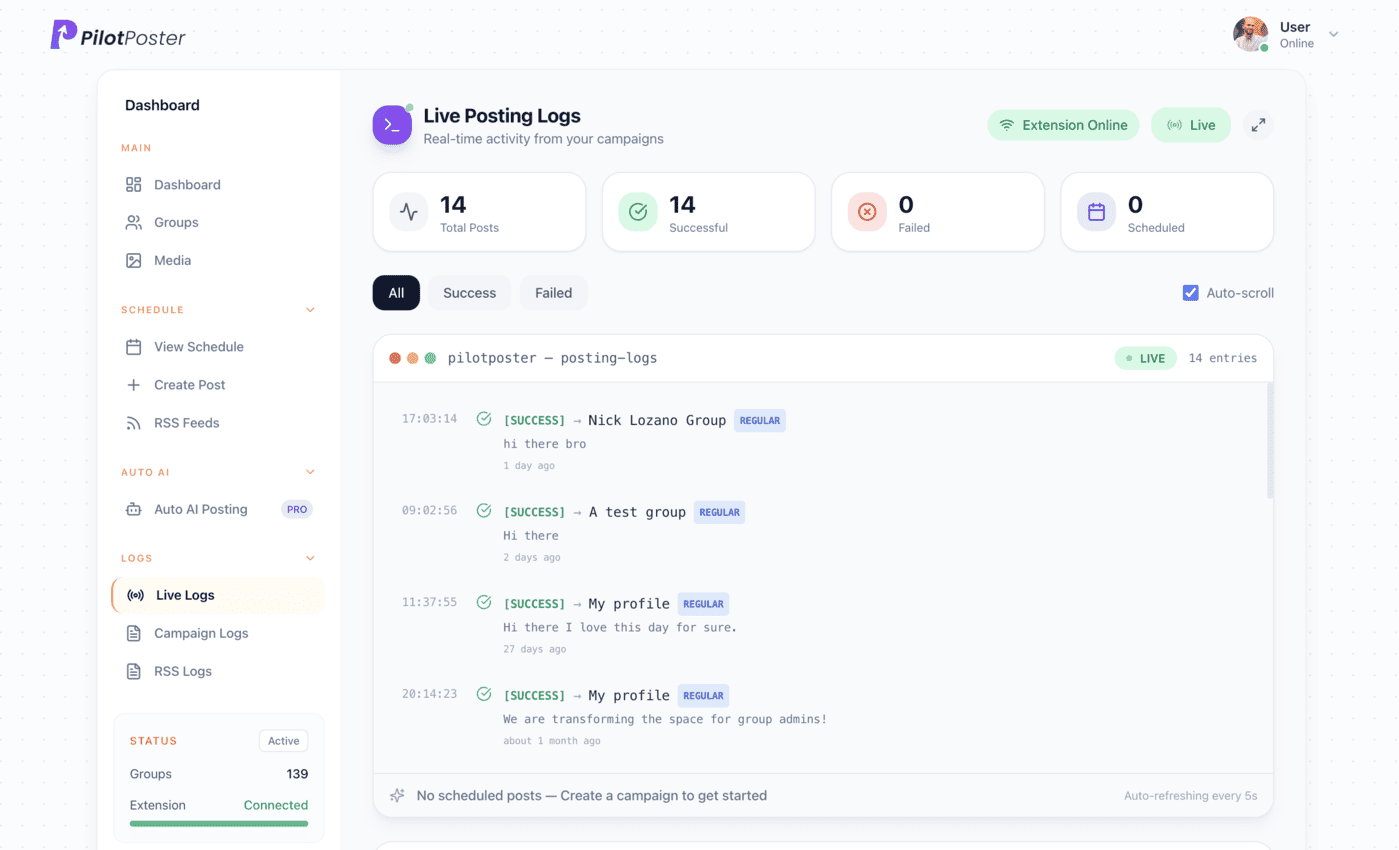
Live posting logs: every post, the group it went to, and when.
What is my Blogger RSS feed address?
It is your blog address plus /feeds/posts/default, for example yourblog.blogspot.com/feeds/posts/default. That returns an Atom feed, and adding ?alt=rss returns RSS. PilotPoster reads both formats, so either one works in a new RSS campaign. Open it in a signed-out browser window first to confirm your newest post appears.
Can I share only posts with a certain label?
Yes. Blogger has a feed for each label at /feeds/posts/default/-/LabelName. Connect it to its own campaign with a matching group list, and only posts with that label go to those groups. Copy the label exactly as it appears on your blog, since capital letters matter.
Does it work with a custom domain on Blogger?
Yes. Use your custom domain in place of the blogspot address, followed by /feeds/posts/default. Open it in your browser first to confirm your newest post shows at the top, then paste it into PilotPoster. Blogspot and custom domain feeds work the same way once connected.
Why isn’t my Blogger feed loading?
The most common reason is that the blog is private, and private blogs don’t publish feeds. Check your blog’s permissions in Blogger settings, and also check that site feed settings haven’t been turned off. Then test the URL in a signed-out browser window.
Keep exploring
Related pages
- Facebook group content calendar A month of post ideas.
- Find Facebook groups to join Where your readers already are.
- Saved group lists One list per topic or label.
- Autopost Ghost to groups Share new Ghost posts, or one tag, to the groups your members come from.
- Autopost Squarespace to groups Share new blog posts from your Squarespace site to local and niche groups.





4.5 on the Chrome Web Store
Put your new blog posts in front of every group
Connect it once, and everything new you publish reaches the groups you picked, on autopilot.