Autopost · Etsy
Auto post new Etsy listings to Facebook groups
Every Etsy shop has a feed of its newest listings at etsy.com/shop/YourShopName/rss. Connect it to PilotPoster and each new item is shared to the craft, gift and buy and sell groups where shoppers browse for something handmade.
4.5 on the Chrome Web Store · Featured 1-day trial for $0 Cancel anytime
How do I auto post my Etsy listings to Facebook groups?
Use https://www.etsy.com/shop/YourShopName/rss as the feed URL in a new RSS campaign in PilotPoster. When a new listing appears in your shop feed, PilotPoster shares it to the Facebook groups you picked, one group at a time.
Who shares Etsy listings in Facebook groups
Handmade and vintage sellers whose buyers love a niche: jewelry makers, crocheters, candle makers, printable and planner sellers, vintage clothing dealers. Facebook has groups for every craft and collector community, plus local buy and sell groups where people shop for gifts. A new listing shared to the right group can bring sales the same day, and RSS autoposting shares every one. Our guide on selling in Facebook groups covers which groups welcome products.
Mind each group’s selling rules
Many craft groups allow selling only on certain days or in a weekly promo thread, while buy and sell groups exist for it. Put the groups that allow listings any day in one saved group list and connect your feed to that list. For the stricter groups, schedule a hand-written post on their promo day with the shop link in the first comment. The group rules guide explains how to read the rules.
How often to list
PilotPoster shares your newest listing each time it checks, every 5 minutes. If you list ten items in one sitting, the last one is what goes out. List new items a few hours apart, or a couple per day, so each gets its own share. Run a weekly recurring post for your best seller with spintax, so every group sees a fresh version.
How to autopost Etsy to Facebook groups
Four steps, about five minutes. Connect the feed once, and your new listings share themselves from then on.
-
Step 1: Build your Etsy shop feed URL
Put your shop name into
https://www.etsy.com/shop/YourShopName/rss, spelled exactly as it appears in your shop URL. The feed lists your 10 most recent listings. -
Step 2: Open it to confirm
Load the URL in your browser. You should see your shop name and your newest listing first. Etsy doesn’t document this feed in its Help Center, so always check it loads before you connect it.
-
Step 3: Paste the feed into a new RSS campaign
In the PilotPoster dashboard, open RSS Campaigns and click New RSS Feed. Paste the feed URL, pick a saved group list and set the Time Between Posts (anywhere from 5 minutes to 6 hours). Keep Include Description off: Etsy’s feed descriptions carry image and price code, and the listing link already shows your photo in the preview. Then start the campaign.
-
Step 4: Publish, then check the RSS Logs
PilotPoster checks the feed every 5 minutes. When a new item shows up, it goes to your groups one at a time from your own Chrome browser, and each share lands in RSS Logs with the group and the result. List your next item and watch it reach your groups.
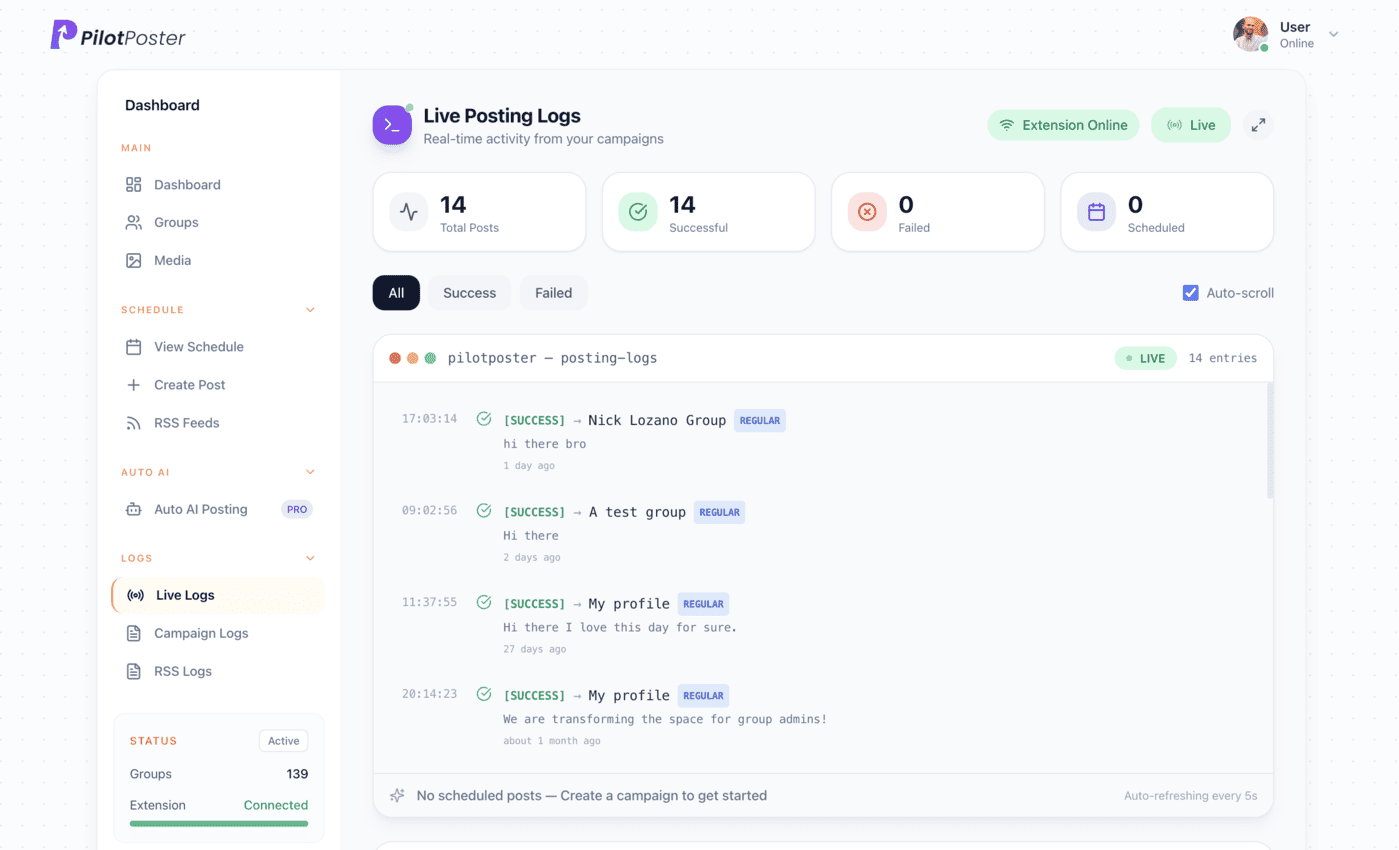
Live posting logs: every post, the group it went to, and when.
Does Etsy still have shop RSS feeds?
Yes. As of October 2026, shop feeds load at etsy.com/shop/YourShopName/rss and list the 10 newest listings. Etsy does not document the feed in its Help Center, so open your shop’s feed URL in a browser to check it before you connect it to PilotPoster.
Should I turn on Include Description for Etsy?
No. Etsy’s feed descriptions include image and price code that reads badly as group text. Keep it off, and the post is your listing title plus link. Facebook pulls your listing photo into the preview card, which is what catches a shopper’s eye.
Will my existing listings get posted?
No. PilotPoster starts from your newest listing when you connect the feed and shares only listings added after that. To promote items you already have, schedule a recurring post for each best seller with a unique version for every group.
Which Facebook groups work best for Etsy sellers?
Groups built around your craft or style, gift and holiday shopping groups, and local buy and sell groups for your area. Join active ones, read their rules on selling, and put the groups that welcome listings into a saved list for your shop feed.
Keep exploring
Related pages
- How to sell in Facebook groups Sell without spamming.
- Facebook group rules guide Know where listings are welcome.
- Auto post Shopify to groups Selling on your own store too?
- Autopost Facebook Page to groups Repost every new Page post, with its photos and videos, to your groups.
- Autopost WordPress to groups Share every new article, or just one category, to the groups that fit it.





4.5 on the Chrome Web Store
Put your new listings in front of every group
Connect it once, and everything new you publish reaches the groups you picked, on autopilot.