Autopost · Facebook Page
Auto post your Facebook Page to Facebook groups
Your Page posts reach a small slice of your followers. Your customers are in local and niche groups. Connect your Page to PilotPoster once and every new Page post, photos and videos included, is posted to the groups you choose.
4.5 on the Chrome Web Store · Featured 1-day trial for $0 Cancel anytime
How do I automatically post my Facebook Page posts to groups?
Paste your Page URL, such as facebook.com/yourpage, into a new RSS campaign in PilotPoster. It switches to a Page monitor: the Chrome extension watches the Page, and each new post’s text, images and videos are posted to the groups you picked.
Who reposts Page posts to Facebook groups
Businesses that already post on their Page and want more people to see it. A bakery posts today’s specials on its Page every morning, and they go straight to the town’s foodie and community groups. A car dealer’s new arrivals reach local buy and sell groups. A gym’s class schedule reaches neighborhood groups. You keep posting once, in the place you already use, and your groups get every update too. Our comparison of Facebook groups vs Pages shows why groups are where the reach is.
A real post, not a share
Page monitoring is part of RSS and Page autoposting, but it works differently from a feed. Instead of a link, PilotPoster takes the Page post’s text and its images or videos and publishes them as a fresh post in each group, so members see the full photo of today’s special right in the group feed. Write your Page posts so they make sense on their own, with the offer, the place and the time in the text. If you want to post in groups as your Page instead, see posting to groups as a business Page.
How often to post
Daily is fine for a business with daily news, like specials or new stock, as long as your groups welcome it. Keep a healthy gap between groups with Time Between Posts, and let Safety Autopilot limits keep your daily volume natural. For promos you want worded differently in each group, schedule them as a regular campaign with spintax and the link in the first comment.
How to autopost Facebook Page to Facebook groups
Four steps, about five minutes. No feed needed: PilotPoster watches your Page directly.
-
Step 1: Copy your Page URL
Open your Facebook Page and copy its address, for example
https://www.facebook.com/yourpage. You don’t need a feed: PilotPoster watches the Page itself. Use a Page you own or have permission to repost from. -
Step 2: Paste it into a new campaign
In RSS Campaigns, click New RSS Feed and paste the Page URL. PilotPoster recognizes it and shows Facebook Page Monitor with your Page name. Pick a saved group list and set the Time Between Posts.
-
Step 3: Keep Chrome and the extension running
The PilotPoster extension does the watching, so it needs to be online. While it is, each new Page post is picked up with its text, images and videos, then posted to your groups one at a time. The Page monitoring guide has the details.
-
Step 4: Publish, then check the RSS Logs
PilotPoster checks the feed every 5 minutes. When a new item shows up, it goes to your groups one at a time from your own Chrome browser, and each share lands in RSS Logs with the group and the result. Post on your Page and watch it reach your groups.
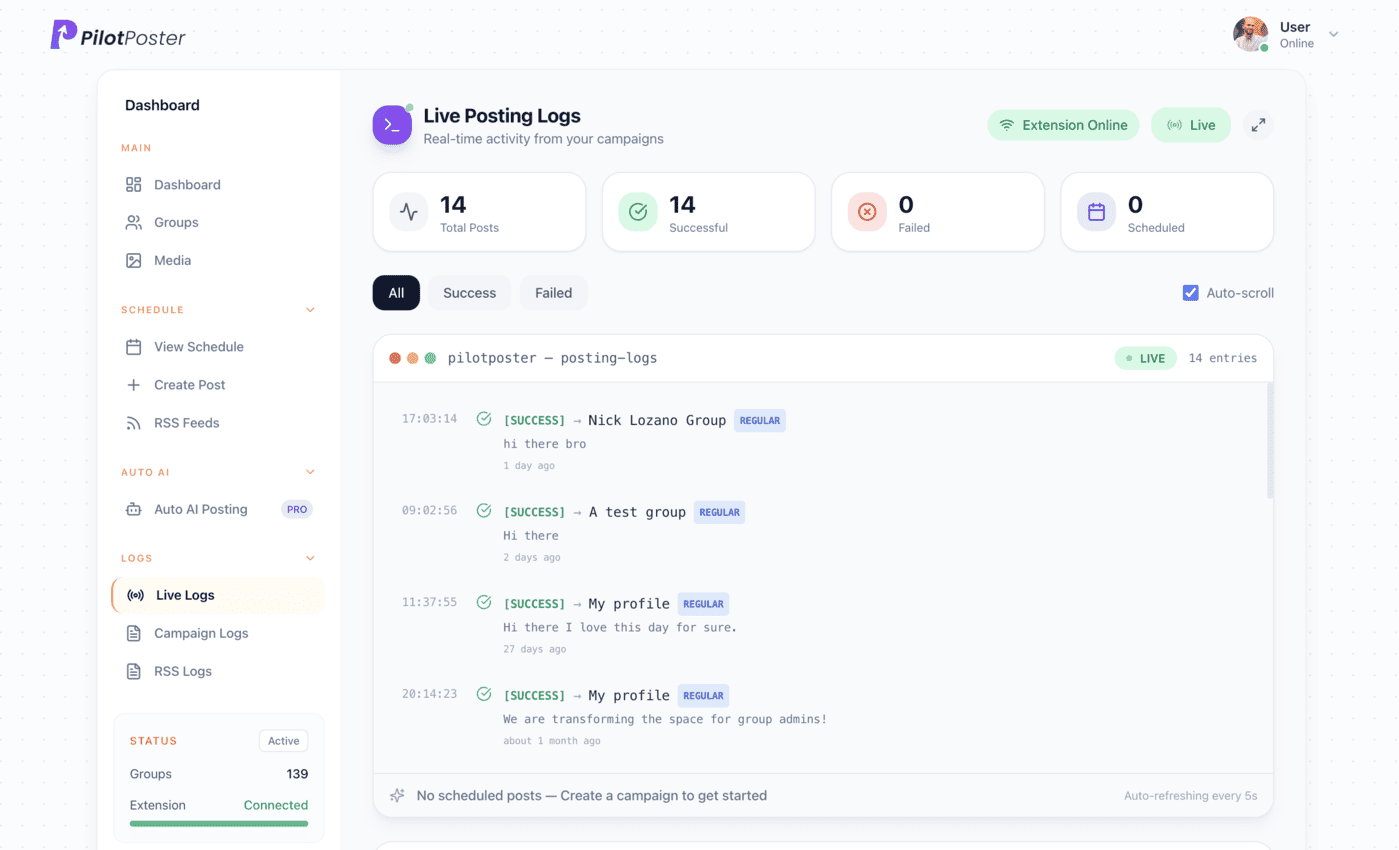
Live posting logs: every post, the group it went to, and when.
Do I need an RSS feed for my Facebook Page?
No. Paste the Page URL, such as facebook.com/yourpage, into a new RSS campaign. PilotPoster detects it as a Facebook Page monitor and the Chrome extension watches the Page for new posts. No third-party feed service or Facebook API connection is needed.
Are photos and videos included?
Yes. When the extension spots a new Page post, it picks up the post text plus its images and videos, and PilotPoster posts them to your groups as a fresh post. Members see the full media in the group, not just a link back to your Page.
Does the extension need to be online?
Yes. Page monitoring runs in your Chrome browser, so the PilotPoster extension must be online for new Page posts to be picked up. If it goes offline, monitoring pauses and picks back up once you reconnect. Schedule from any device; publishing happens through Chrome.
Can I monitor someone else’s Page?
You can monitor any Page you are able to view, but only repost from Pages you own or have permission to repost from. That keeps your group posts welcome and respects the original creator. Most people connect their own business Page.
Can I pause it for a while?
Yes. Pause the campaign from the RSS Campaigns page and the extension stops watching the Page. Resume it any time. This is handy when your Page is posting things that don’t suit your groups, such as a closed-for-holidays notice or a staff party photo.
Keep exploring
Related pages
- Facebook groups vs Pages for business Why groups are where the reach is.
- Post to groups as a business Page Post in groups as your Page.
- PilotPoster for restaurants Daily specials, every group.
- Autopost WordPress to groups Share every new article, or just one category, to the groups that fit it.
- Autopost Shopify to groups Share new products from a collection feed, or new blog posts, to buying groups.





4.5 on the Chrome Web Store
Put your new Page posts in front of every group
Connect it once, and everything new you publish reaches the groups you picked, on autopilot.